 NTFSTool
NTFS drives often aren't indexed
Drives formatted by Windows are often left out of Spotlight, so Finder search may find nothing.
Spotlight often skips external drives, especially Windows NTFS drives. NTFSTool Pro 5.1 builds its own index, so you type a name and the file appears — even on a drive with years of photos and projects.
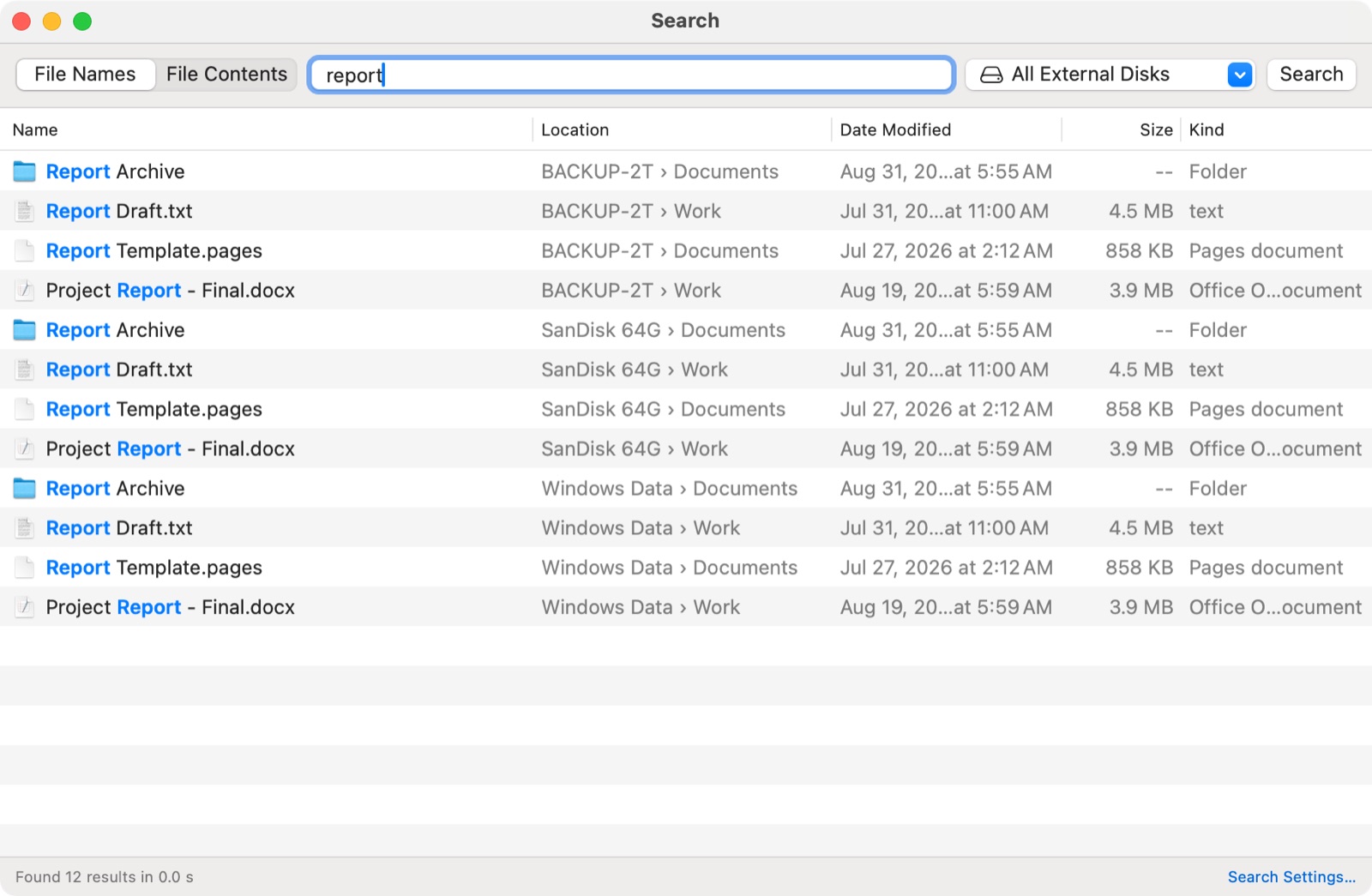
Other NTFS apps for Mac don't come with a search tool, so you're left with Finder and Spotlight. NTFSTool Pro adds instant file name search and search inside files to the same license, at no extra cost.
See what's in NTFSTool Pro →How do you search an external NTFS drive on a Mac? NTFSTool Pro 5.1 has built-in drive search. For file names it reads the NTFS drive's file table (the MFT) directly — the same idea as Everything on Windows — so results appear as you type. It can also search the text inside files. Everything runs on your Mac, read-only, without Spotlight.
Updated November 2026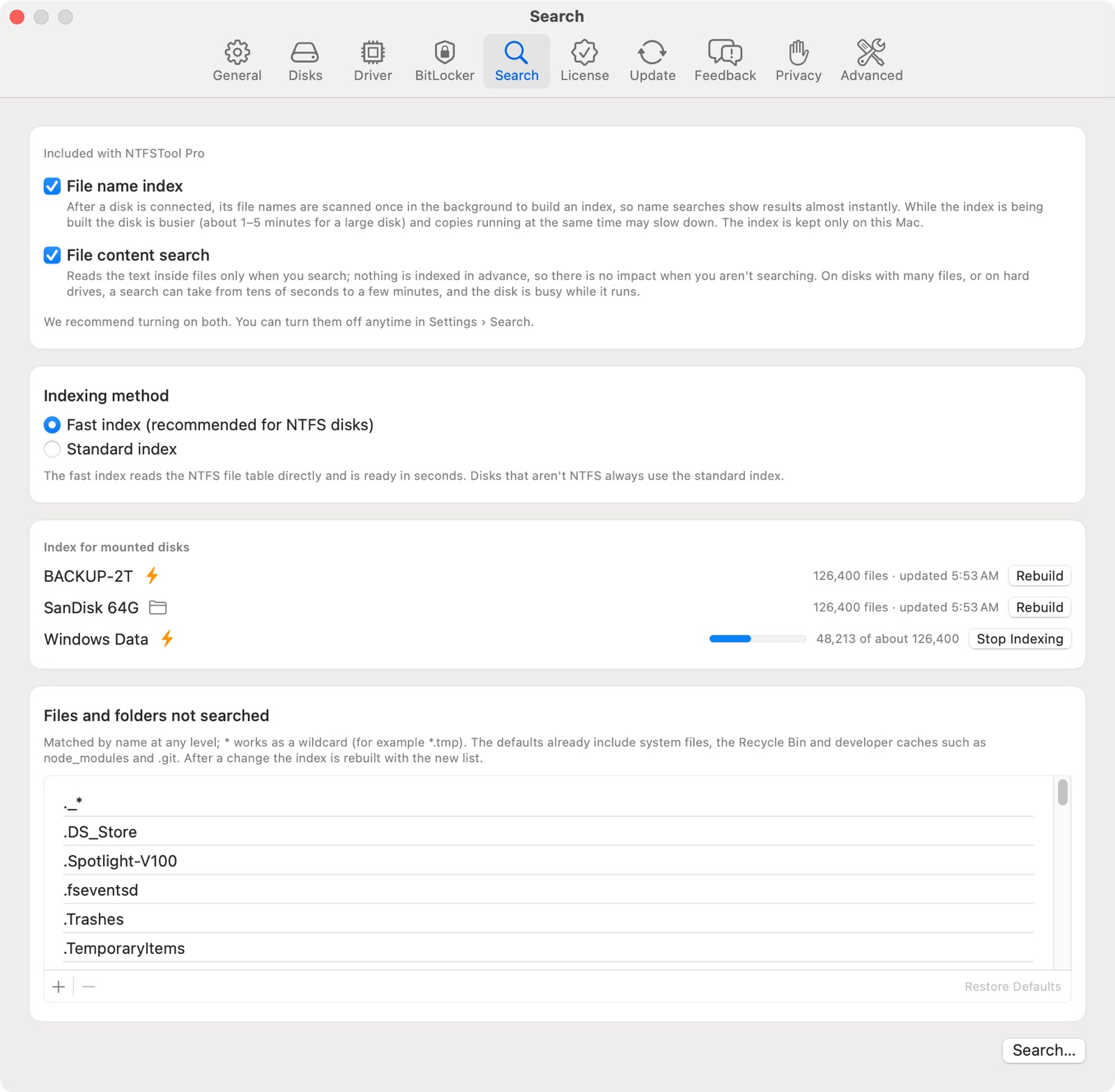
Drives formatted by Windows are often left out of Spotlight, so Finder search may find nothing.
Even for Mac formats, Spotlight may index late or skip removable drives.
It reads only, never changes your files, and pauses when your Mac is busy or on low battery.
| File name search | Content search | |
|---|---|---|
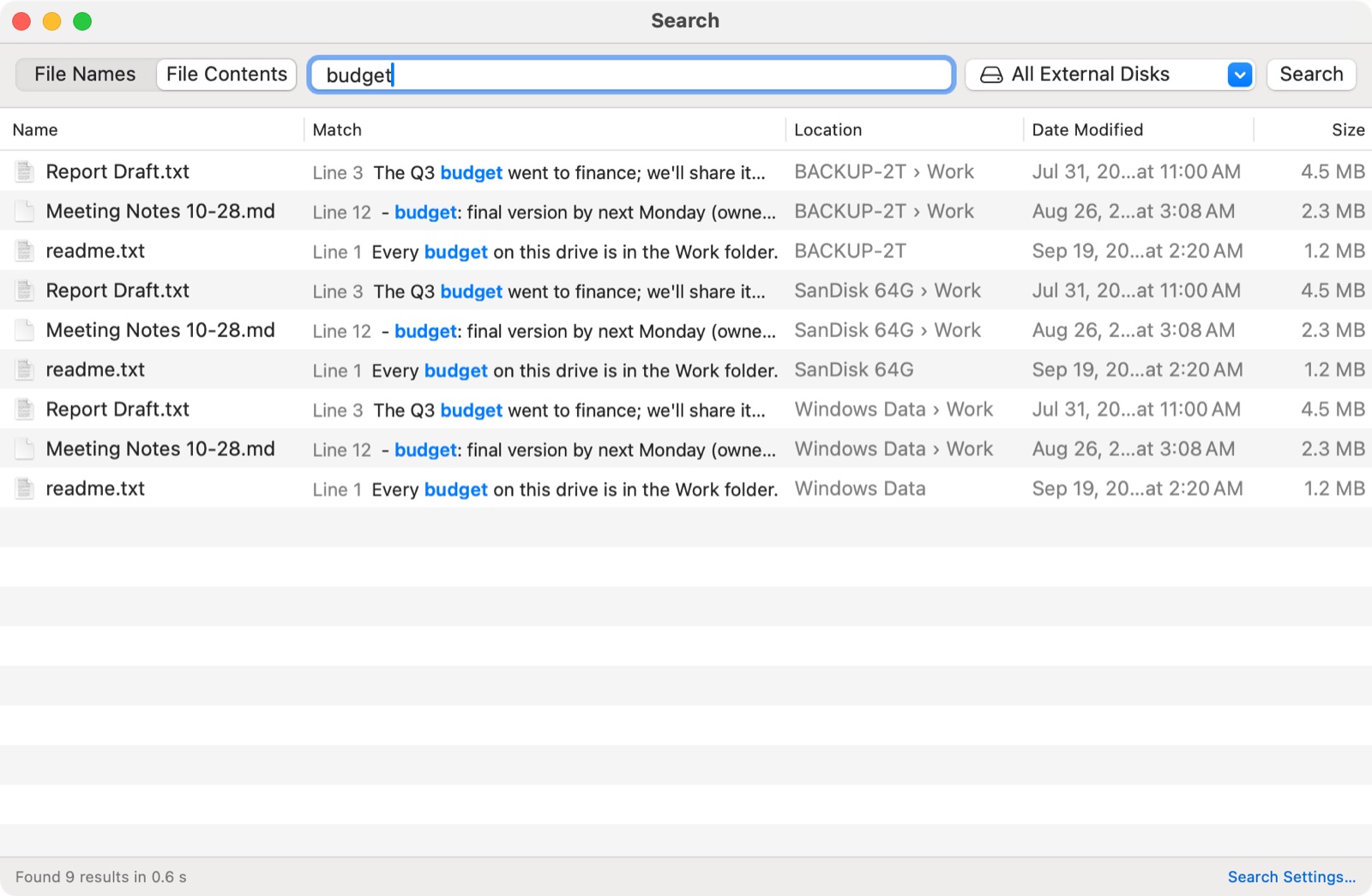
| Finds | Files and folders by name | Text inside files |
| How | Reads the NTFS file table (MFT); fast folder scan on other formats | ripgrep, on the whole drive or one folder |
| Speed | Results as you type | Press Return; stops after 1,000 matches |
| Drives | NTFS, exFAT, FAT32, HFS+, APFS | Any mounted external drive |
| Changes your files? | Never — read-only | Never — read-only |
Search is checked on every build with automated tests, and every search run is logged so we can keep tuning speed after release.
The fast NTFS index is compared file by file with a full listing from the NTFS library: the same files and the same paths, including fragmented file tables.
Tests confirm search never opens a drive for writing, and stops before a drive is ejected, repaired, renamed or erased.
If the fast index can't read a drive (no permission, not NTFS, BitLocker), NTFSTool switches to the folder scan in the same run, so search still works.
| NTFSTool Pro 5.1 | Paragon NTFS for Mac | Tuxera NTFS for Mac | iBoysoft NTFS for Mac | |
|---|---|---|---|---|
| Instant file name search |
| Not included | Not included | Not included |
| Search inside files |
| Not included | Not included | Not included |
Checked November 5, 2026 on each company's official product page. Tell us if something is out of date.
Sources: Paragon NTFS for Mac · Tuxera NTFS for Mac · iBoysoft NTFS for Mac · iBoysoft BitLocker for Mac
No. File name search and search inside files are both included in NTFSTool Pro at no extra cost.
No. It builds its own index for each external drive, so it works even on drives that Spotlight skips, and you don't need to turn Spotlight indexing on.
For NTFS drives, yes: like Everything on Windows, NTFSTool reads the drive's file table directly instead of scanning folder by folder, so even large drives are indexed quickly and results appear as you type.
Drive search is built for external drives. For your Mac's own disk, Spotlight already does the job.
No. Search is strictly read-only.
Drive search is part of NTFSTool Pro. You can turn file name search and content search on or off separately in Settings.
Screenshots: NTFSTool Pro 5.1 in demo mode with sample drives.
Free to try · macOS 12 or later · Apple silicon and Intel