 NTFSTool
Plug in the drive
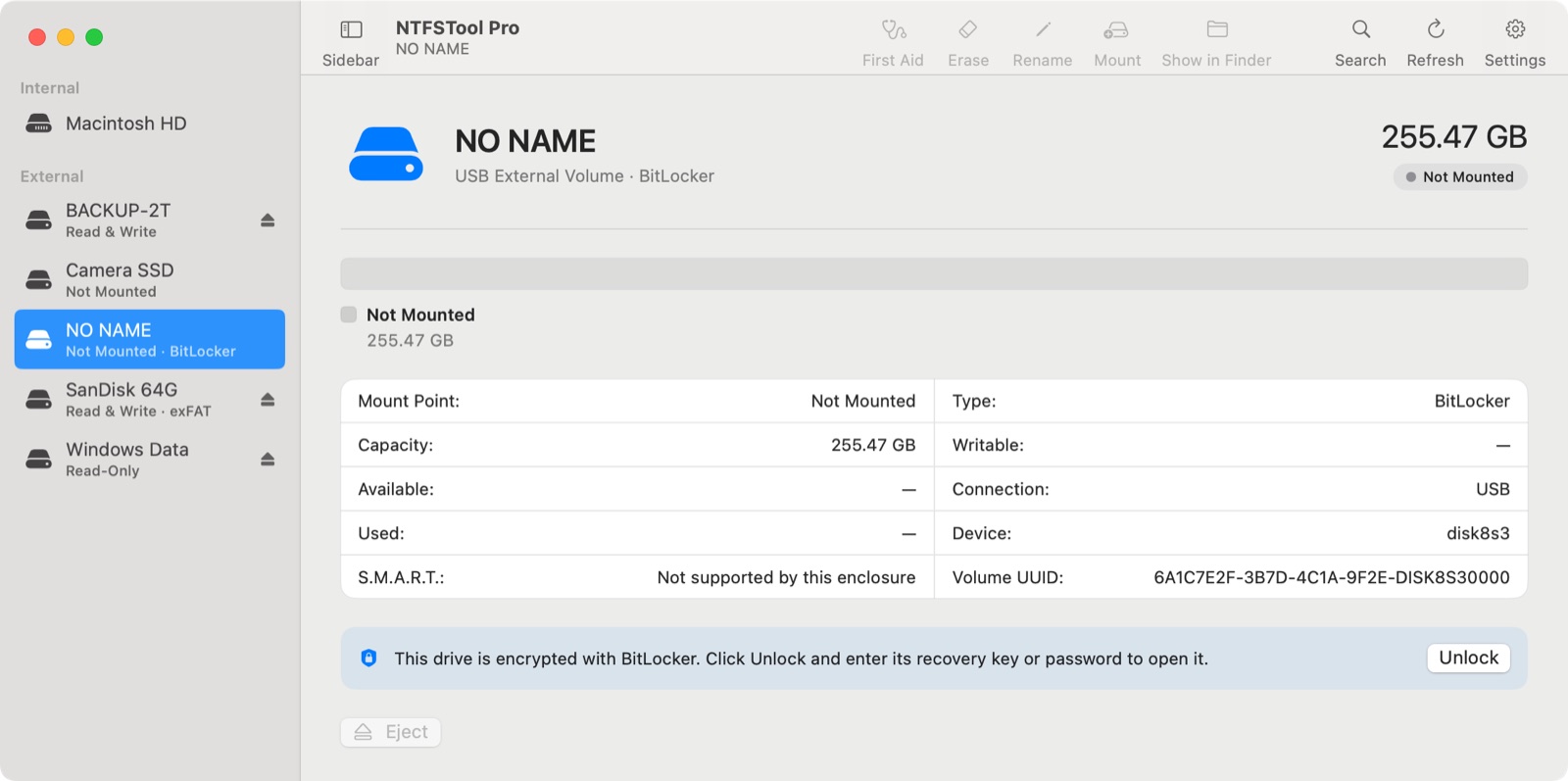
NTFSTool recognizes it as a BitLocker drive — not as a damaged disk — and offers to unlock it.
macOS can't open a drive that Windows encrypted with BitLocker. NTFSTool Pro 5.1 unlocks it with your recovery key or password and opens it in Finder — read and write, still encrypted, still readable by Windows.
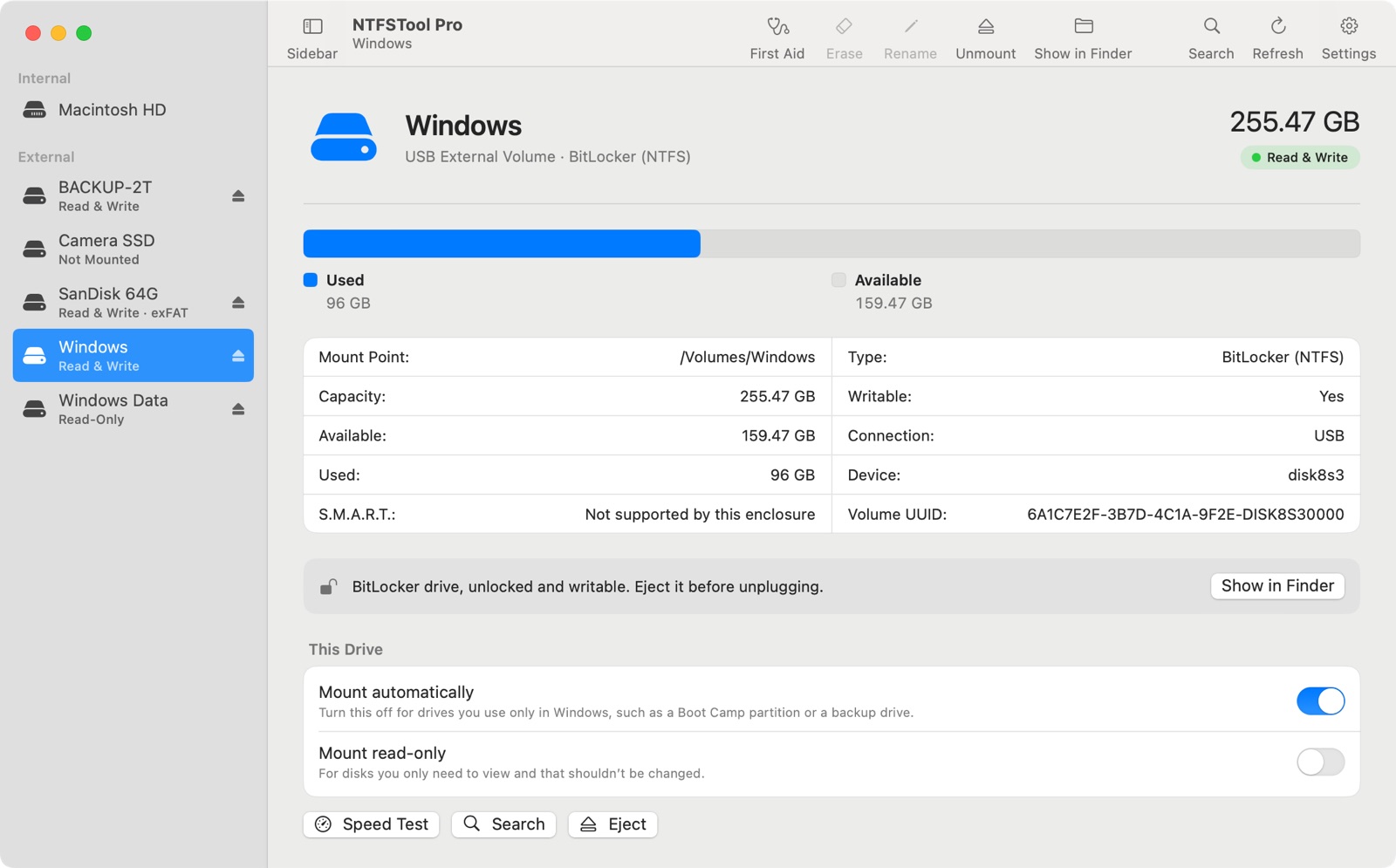
Other NTFS apps for Mac don't open BitLocker drives at all, and BitLocker tools for Mac are usually a separate purchase. With NTFSTool Pro, the same license that gives you NTFS read-write also unlocks, reads and writes BitLocker drives.
See what's in NTFSTool Pro →Can a Mac open a BitLocker drive? Not on its own. NTFSTool Pro unlocks BitLocker and BitLocker To Go drives with the 48-digit recovery key or the drive password, then mounts them read-write in Finder. BitLocker support is included in NTFSTool Pro; other NTFS apps for Mac don't include it, and BitLocker tools for Mac are usually a separate purchase.
Updated November 2026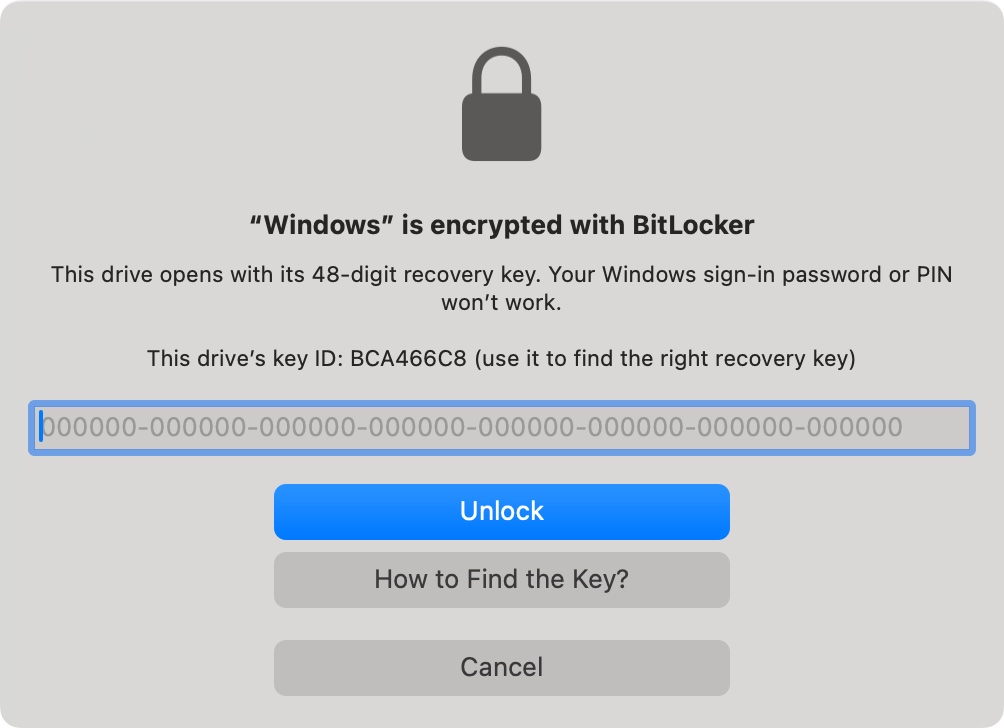
NTFSTool recognizes it as a BitLocker drive — not as a damaged disk — and offers to unlock it.
Your key is used only to unlock this drive. It never leaves your Mac.
Copy, edit and delete files. Eject when you're done.
| NTFSTool Pro 5.1 | |
|---|---|
| Windows versions | BitLocker from Windows 7 and later (Windows 10 and 11 included) |
| Encryption | XTS-AES 128 / 256 and AES-CBC 128 / 256, with or without Diffuser |
| Unlock with | Recovery key or drive password |
| NTFS inside | Read and write |
| FAT32 / exFAT inside (BitLocker To Go) | Read and write |
| Protection suspended in Windows | Opens without asking for a key |
| Windows still encrypting or decrypting | Read-only until Windows finishes, and NTFSTool tells you why |
| Windows Vista BitLocker | Not supported |
BitLocker support was tested on real USB drives encrypted by Windows, not only on simulated disks. Here is what we checked before releasing 5.1.
Two BitLocker To Go USB sticks encrypted by Windows (one with NTFS inside, one with FAT inside), on macOS 27.0.1. Unlocked with the drive password in about 4.5 seconds, wrote a 128 MB file and 60 small files, ejected, opened again: 61 of 61 files matched.
Drives written on a Mac by NTFSTool were handed back to Windows. Windows unlocked them with the same key, chkdsk found no errors, and every file matched its SHA-256 checksum.
We cut power to a real BitLocker USB drive in the middle of a write, using a relay, then checked it in Windows the same way.
XTS-AES and AES-CBC, 128 and 256 bit, with and without Diffuser, recovery key and password, suspended and decrypted drives — each tested against drives created by Windows.
| NTFSTool Pro 5.1 | Paragon NTFS for Mac | Tuxera NTFS for Mac | iBoysoft NTFS for Mac | |
|---|---|---|---|---|
| BitLocker drives |
| Not included | Not included | Not included (iBoysoft sells BitLocker for Mac as a separate app) |
Checked November 5, 2026 on each company's official product page. Tell us if something is out of date.
Sources: Paragon NTFS for Mac · Tuxera NTFS for Mac · iBoysoft NTFS for Mac · iBoysoft BitLocker for Mac
No. BitLocker support is included in NTFSTool Pro at no extra cost. You don't need a separate BitLocker app or an add-on.
No. The key is used only to unlock the drive while it's connected. It isn't saved to disk, isn't sent anywhere and never appears in logs. When you eject or unplug the drive, NTFSTool forgets it.
Yes. The drive stays BitLocker-encrypted. Windows unlocks it with the same key, and your new files are there. We test this by running chkdsk in Windows after writing on a Mac.
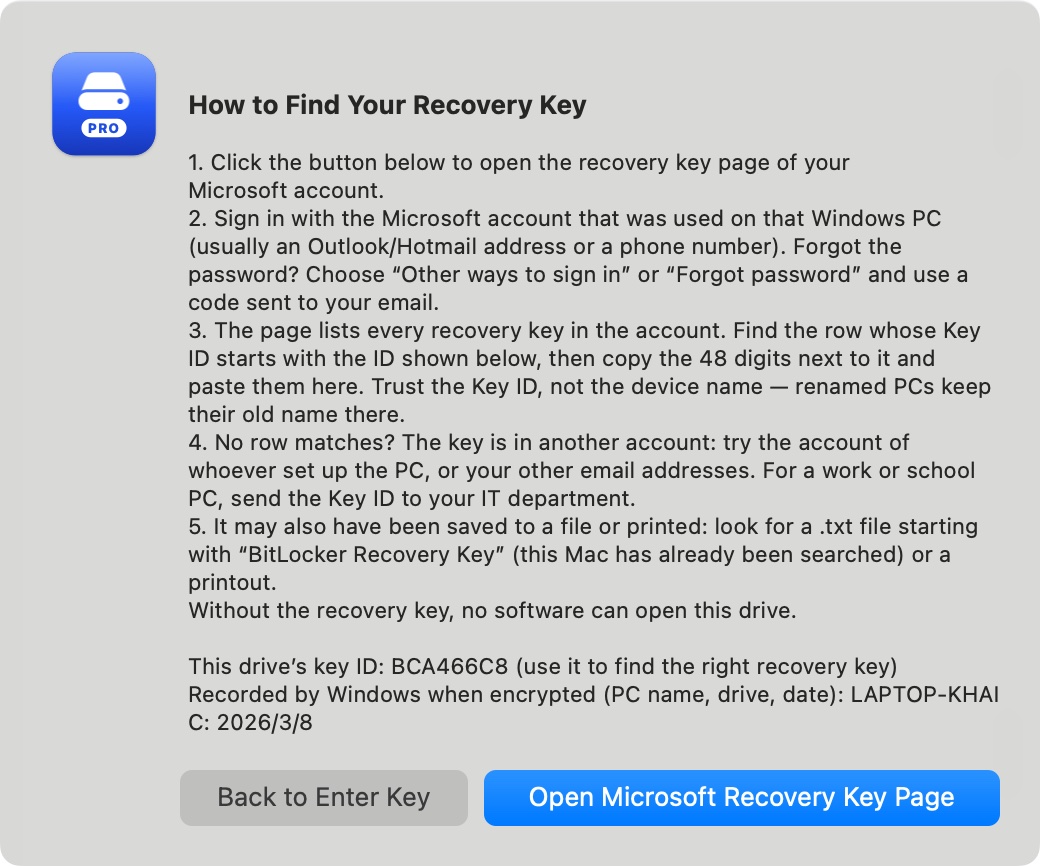
Usually in the Microsoft account that was signed in on the Windows PC, in a file or printout you saved, or with your company's IT team. NTFSTool shows the drive's Key ID so you can pick the right key, and its guide walks you through the places to look.
Yes. Unlocking and reading a BitLocker drive is free. Writing is part of NTFSTool Pro and comes with the same free trial as any other drive.
No. NTFSTool opens drives that Windows encrypted. To turn on BitLocker for a new drive, use a Windows PC.
Macs with Apple silicon or Intel running macOS 12 Monterey or later.
Screenshots: NTFSTool Pro 5.1 in demo mode with sample drives.
Free to try · macOS 12 or later · Apple silicon and Intel