 NTFSTool
An exFAT image with a broken boot region: NTFSTool checks it read-only first, repairs it only after you agree, then mounts it.
New in NTFSTool Pro 5.1
One app for every external drive on your Mac
Windows drives, camera cards, old Mac backups, encrypted USB sticks — NTFSTool Pro 5.1 treats them all the same way: plug in, and the drive is ready to read and write. If something is wrong, it checks first and only repairs when you say so.
Download NTFSTool Pro 5.1Free to try · macOS 12 or later · Apple silicon and Intel
- 6 formatsNTFS, BitLocker, exFAT, FAT32, HFS+, APFS
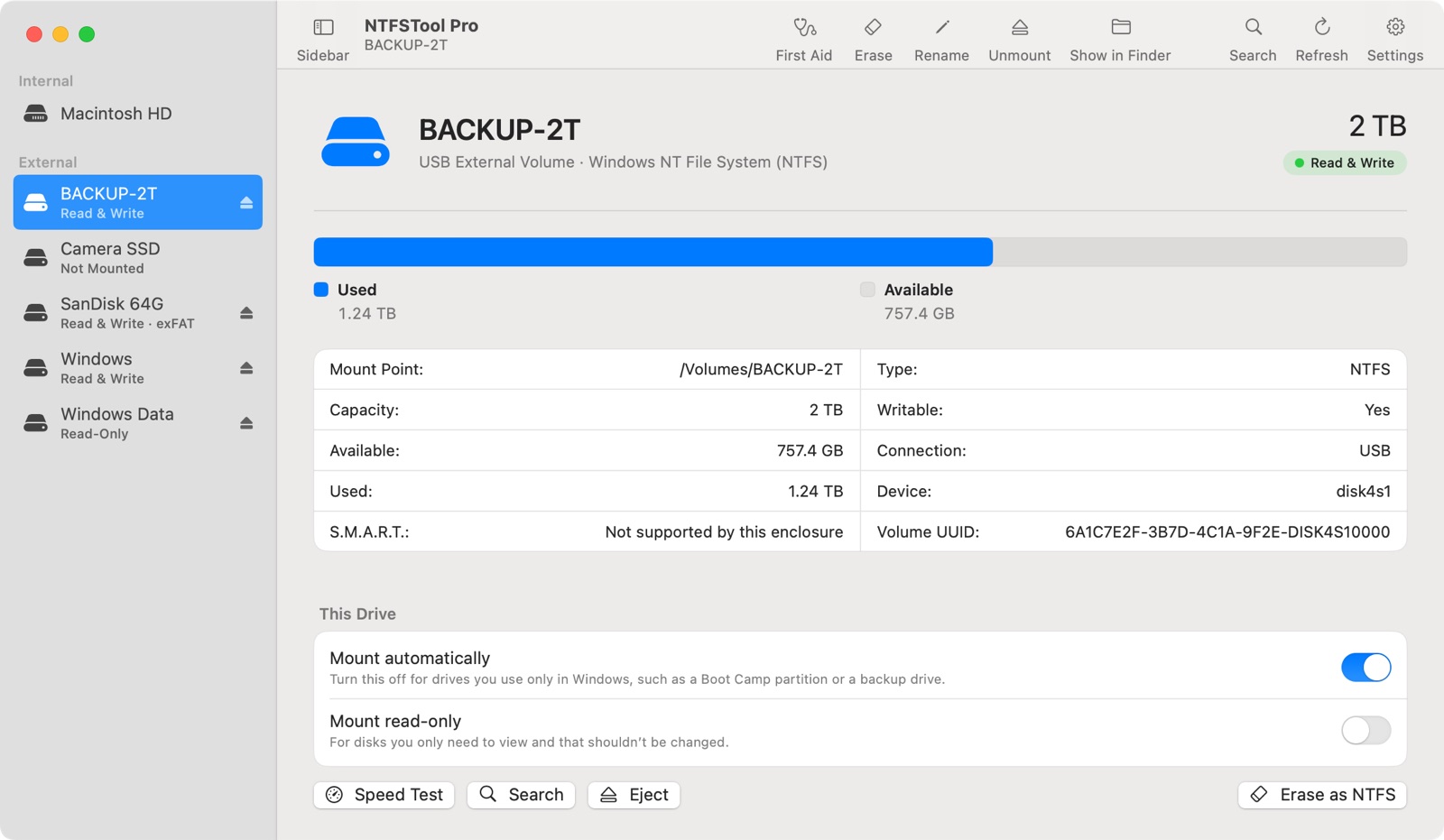
- One listfor every external drive
- No extra chargeevery format, one Pro license
Included in NTFSTool Pro
Every format in one NTFSTool Pro license. No add-ons, no extra charge.
NTFS, BitLocker, exFAT, FAT32, HFS+ and APFS are all covered by the same license. No separate app per format and no paid add-ons.
See what's in NTFSTool Pro →- NTFSTool ProNTFS, BitLocker, exFAT, FAT32, HFS+, APFS
- ×Paragon NTFS for MacNTFS only; other formats are separate Paragon apps
- ×Tuxera NTFS for MacNTFS
- ×iBoysoft NTFS for MacNTFS; BitLocker is a separate app
Quick answer
Which drive formats does NTFSTool Pro support? NTFS (read and write), BitLocker-encrypted drives (unlock, read and write), exFAT, FAT32, HFS+ (Mac OS Extended) and external APFS, including encrypted APFS. It doesn't support Linux formats such as ext4.
Updated November 2026Plug in, and it just works
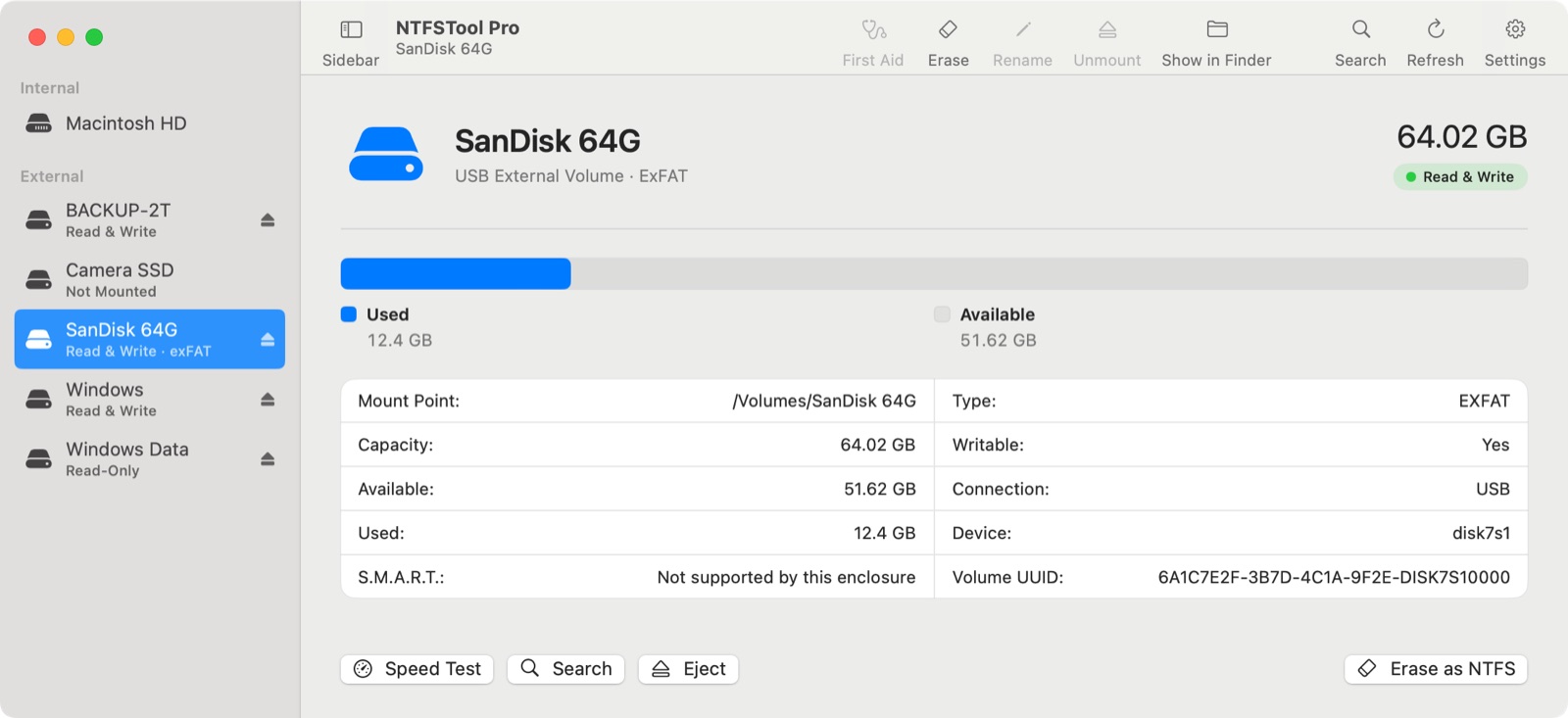
- Every external drive appears in one list with its format and whether it's writable
- A drive macOS opened read-only? Make it writable in one click
- Encrypted APFS drive? Enter its password right in NTFSTool
- Time Machine backup disks are recognized and left alone
Check first, repair only with your OK
- If a drive won't mount, NTFSTool runs a read-only check first
- It explains what a repair may change before anything is touched
- Can't be repaired? It suggests backing up first, never erasing
- Hardware or cable problems are named as such, not "repair failed"
Every common format, side by side
| Format | macOS on its own | With NTFSTool Pro |
|---|---|---|
| NTFS (Windows) | Read-only | Read and write · repair · erase as NTFS |
| BitLocker (Windows, encrypted) | Can't open | Unlock · read and write |
| exFAT | Read and write | Read and write · check and repair |
| FAT32 | Read and write | Read and write · check and repair |
| HFS+ (Mac OS Extended) | Read and write | Read and write · check and repair |
| APFS (external) | Read and write | Read and write · unlock encrypted · check and repair |
| ext4 and other Linux formats | Not supported | Not supported |
Real-device testing
How we test other formats
Each format is tested end to end on real disk images before release.
A Mac OS Extended image with a broken volume header: checked, repaired with consent, mounted.
Mounts read-write right away and is counted like any other drive.
Backup disks are recognized by their role and never touched, mounted or repaired.
Compared with other NTFS apps for Mac
| NTFSTool Pro 5.1 | Paragon NTFS for Mac | Tuxera NTFS for Mac | iBoysoft NTFS for Mac | |
|---|---|---|---|---|
| Formats in one app |
| NTFS (other formats are separate Paragon apps) | NTFS | NTFS; checks and formats other drives |
Checked November 5, 2026 on each company's official product page. Tell us if something is out of date.
Sources: Paragon NTFS for Mac · Tuxera NTFS for Mac · iBoysoft NTFS for Mac · iBoysoft BitLocker for Mac
Questions
Do I pay extra for exFAT, HFS+, APFS or BitLocker?
No. Every format NTFSTool supports is included in the same NTFSTool Pro license. There are no per-format apps or paid add-ons.
Can macOS write to exFAT and FAT32 without NTFSTool?
Yes. macOS reads and writes exFAT, FAT32, HFS+ and APFS by itself. NTFSTool adds NTFS and BitLocker writing, plus one list for every drive and a check-first repair flow when a drive won't mount.
Does NTFSTool support ext4 or other Linux drives?
No. NTFSTool supports Windows and Mac formats: NTFS, BitLocker, exFAT, FAT32, HFS+ and APFS.
Will NTFSTool reformat my drive?
Never without asking. It doesn't suggest erasing a drive to fix it. Erasing as NTFS is a separate action you choose yourself.
What about Time Machine disks?
NTFSTool recognizes Time Machine backup disks and leaves them alone.
Screenshots: NTFSTool Pro 5.1 in demo mode with sample drives.
More in NTFSTool Pro 5.1
One app for every external drive on your Mac
Free to try · macOS 12 or later · Apple silicon and Intel