NTFSTool
How to uninstall NTFSTool
NTFSTool installs small background helpers, so dragging the app to the Trash is not enough. Use the built-in uninstaller — your drives and files are not touched.
NTFSTool Pro
- 1
Open NTFSTool Pro.
- 2
Open Settings and choose Advanced.
- 3
Click Uninstall NTFSTool Pro and confirm. Enter your Mac password if asked.
- 4
NTFSTool Pro ejects mounted drives, removes its helpers and moves itself to the Trash.
Classic version (4.x)
- 1
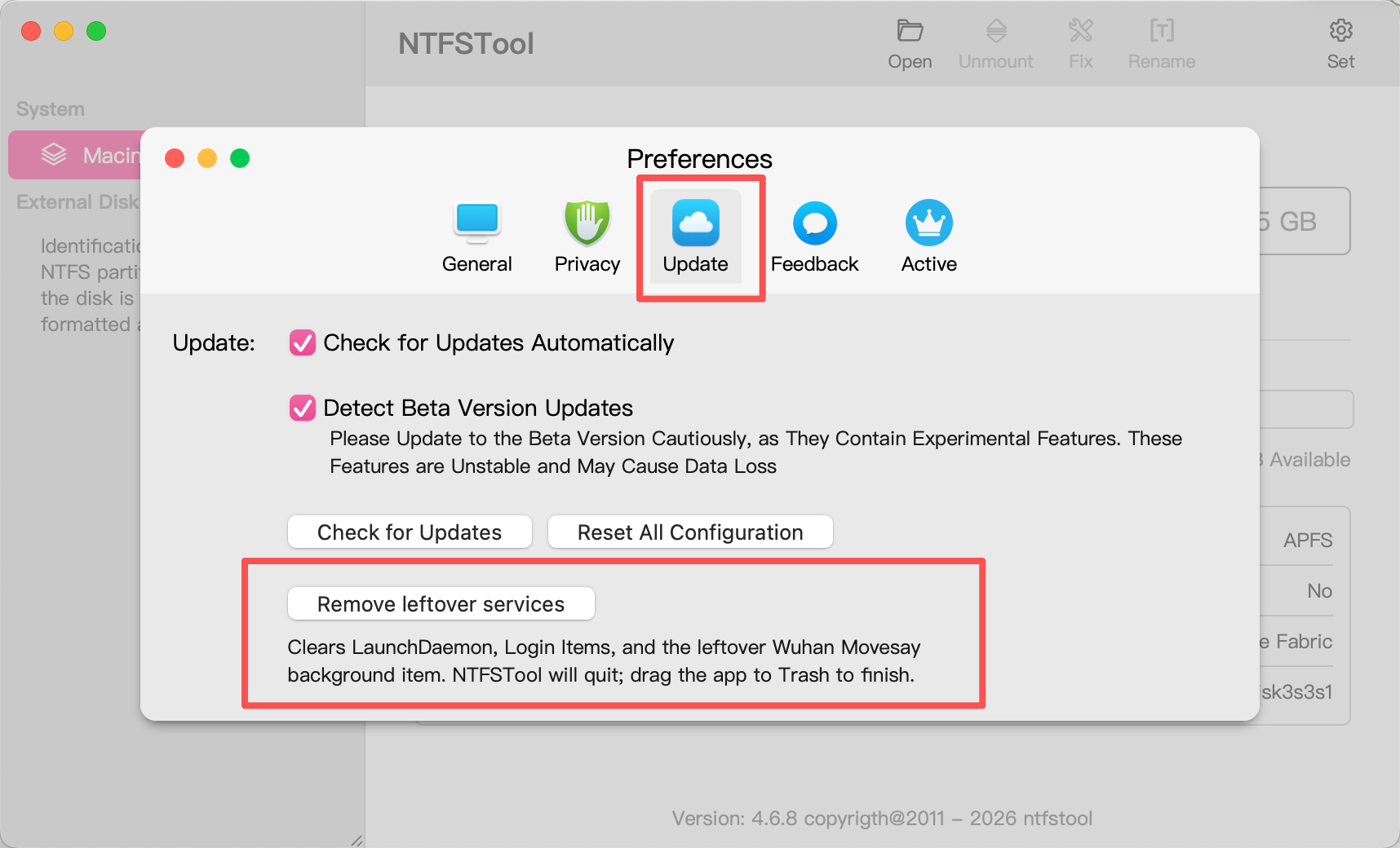
Open NTFSTool (version 4.6.8 or later).
- 2
Click the gear icon Set in the top-right, then open Update.
- 3
Click Remove leftover services.
- 4
Enter your Mac administrator password when asked.
- 5
The app will quit. If NTFSTool is still in Applications, drag it to Trash and empty Trash.
If you already deleted the app, download and install the latest version first, then follow these steps.