 NTFSTool
Big writes instead of tiny ones
The engine talks to the drive directly in blocks of up to 4 MB, instead of thousands of 4 KB requests that each wait for the drive.
NTFSTool Pro runs on an NTFS engine we wrote ourselves. We put it side by side with Mounty, the popular free option built on NTFS-3G, and with the read-only NTFS support built into macOS — same Mac, same drives, same files — and checked every file after every run.
On a USB 3.0 SSD (Intel SSD 530) connected to a 2015 MacBook Pro running macOS 12.7.6, NTFSTool Pro wrote a 1 GB file at 103–114 MB/s — close to the 110–129 MB/s the drive manages on its own — and read it back at 262–276 MB/s. Mounty 2.4 (NTFS-3G with macFUSE) wrote the same file at 21–27 MB/s and read it at 23.6 MB/s. On a slower USB flash drive the gap was wider: 500 small files took 2.5 s with NTFSTool Pro and 663 s (11 min) with Mounty. Every file matched its original checksum with both.
Tested November 9, 2026 · NTFSTool Pro 5.1.1 and later · Mounty 2.4 · macOS 12.7.6Higher MB/s is better; lower time is better. Write times include ejecting the drive, so nothing is still waiting in memory when the clock stops. Read times start from a fresh mount with the Mac's file cache cleared.
Intel SSD 530 (120 GB) in a USB 3.0 enclosure. Two runs per driver, back to back; ranges show both runs plus the screenshot run.
| Test | The drive itself | macOS built-in (read-only) | Mounty 2.4 (NTFS-3G) | NTFSTool Pro |
|---|---|---|---|---|
| Write one large file1 GB, then eject | 110–129 MB/s | can't write | 21–27 MB/s | 103–114 MB/s |
| Read one large file1 GB, fresh mount | 311–358 MB/s | 397–403 MB/s | 23.6 MB/s | 262–276 MB/s |
| Write 500 small files200 bytes to 64 KB each, then eject | — | can't write | 3.6–5.1 s | 2.3 s |
| Read 500 small files | — | 0.3 s | 1.9 s | 1.1 s |
| Mixed workCopy a folder, delete, edit, rename, add 50 files, then eject | — | can't write | 5.7–7.9 s | 2.1 s |
| Read the mixed folder | — | 0.4 s | 4.4 s | 0.8 s |
“The drive itself” is the same SSD written and read directly with dd, at the same position on the disk, with 1–8 MB blocks. macOS can mount NTFS read-only on its own; it reads large files faster than any FUSE-based driver, but it cannot write. Our previous engine scored 24.9 MB/s write / 23.5 MB/s read on this SSD — about the same as Mounty.
Kingston DataTraveler 3.0 (64 GB), a typical USB stick. Flash drives are slow at small random writes, which is where the drivers differ most.
| Test | The drive itself | Mounty 2.4 (NTFS-3G) | NTFSTool Pro |
|---|---|---|---|
| Write one large file320 MB, then eject | 18–20 MB/s | 1.1 MB/s | 18.6 MB/s |
| Read one large file320 MB, fresh mount | 174–180 MB/s | 16.1 MB/s | 157 MB/s |
| Write 500 small filesthen eject | — | 663 s (11 min) | 2.5 s |
| Mixed workthen eject | — | 797 s (13 min) | 5.8 s |
Same Mac, earlier the same day, one partition of the stick, freshly formatted before each run. Its first writes can burst to about 49 MB/s; the figure shown is its steady speed.
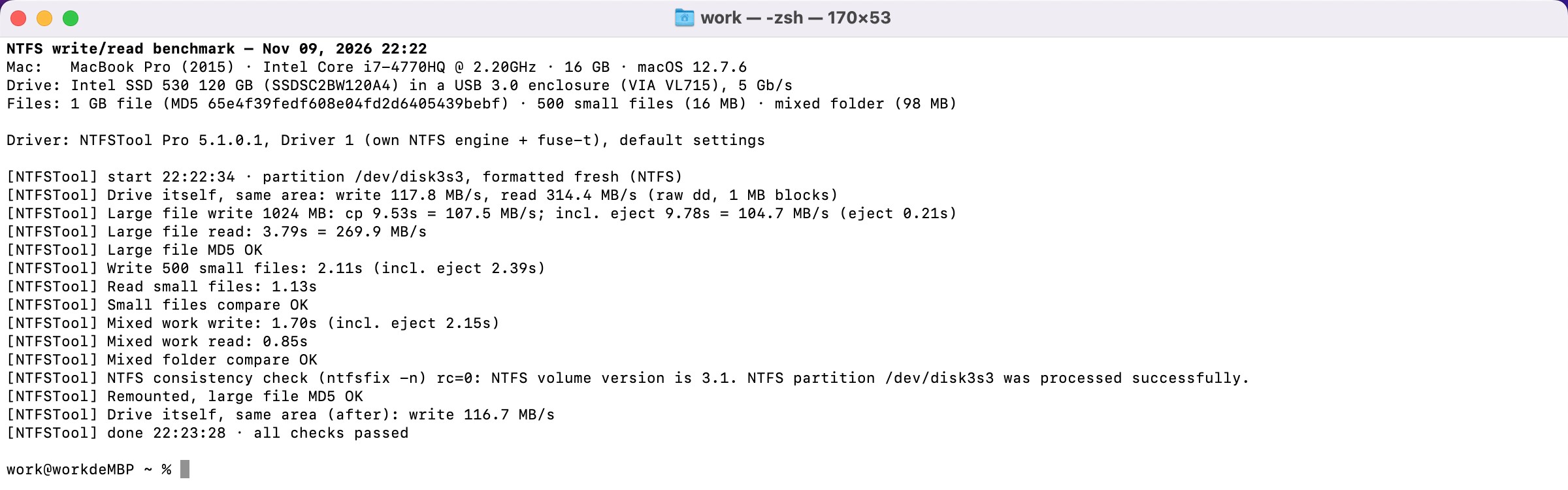
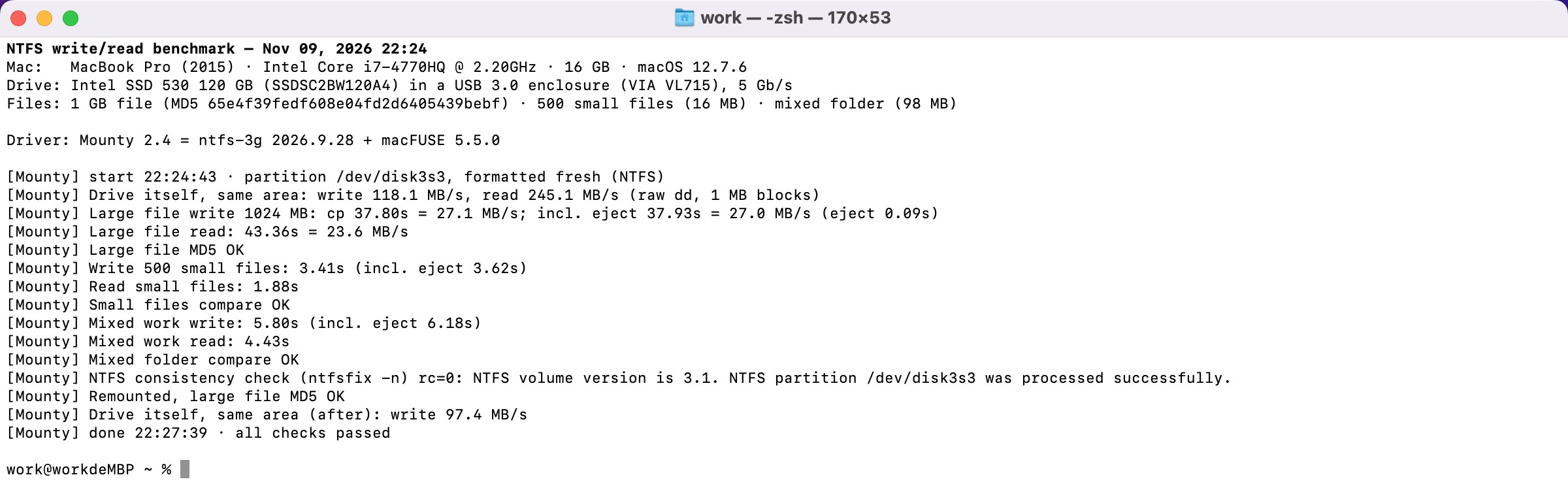
One Mac, two drives, one set of files, every driver on the same partition. Anyone with a Mac and a USB drive can repeat it.
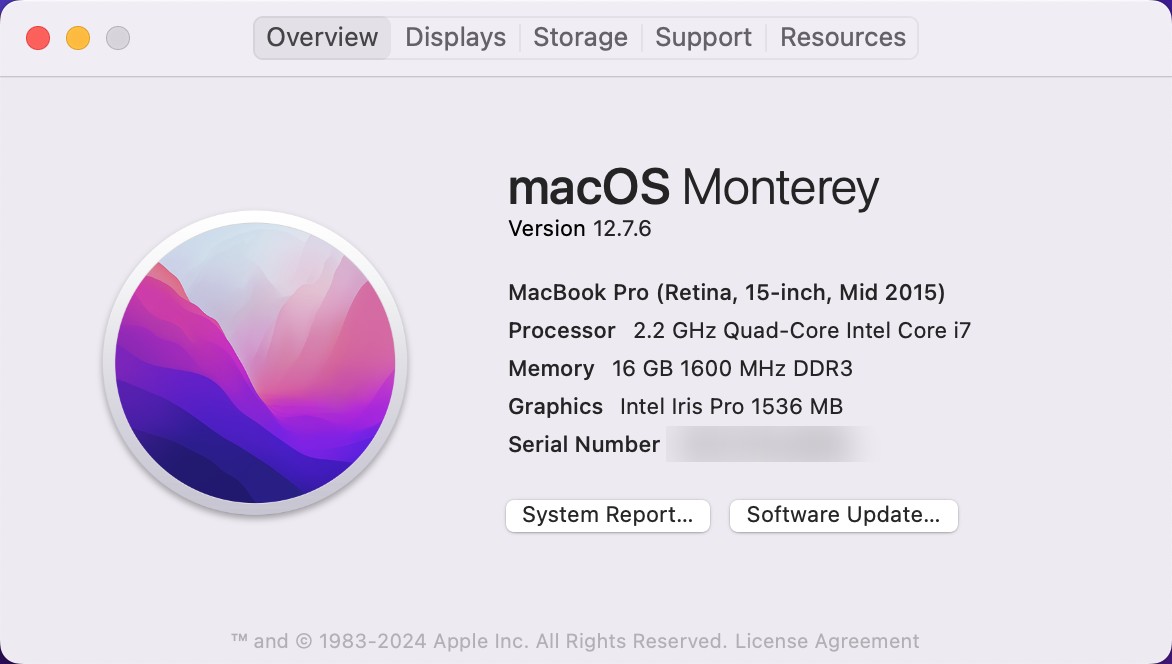
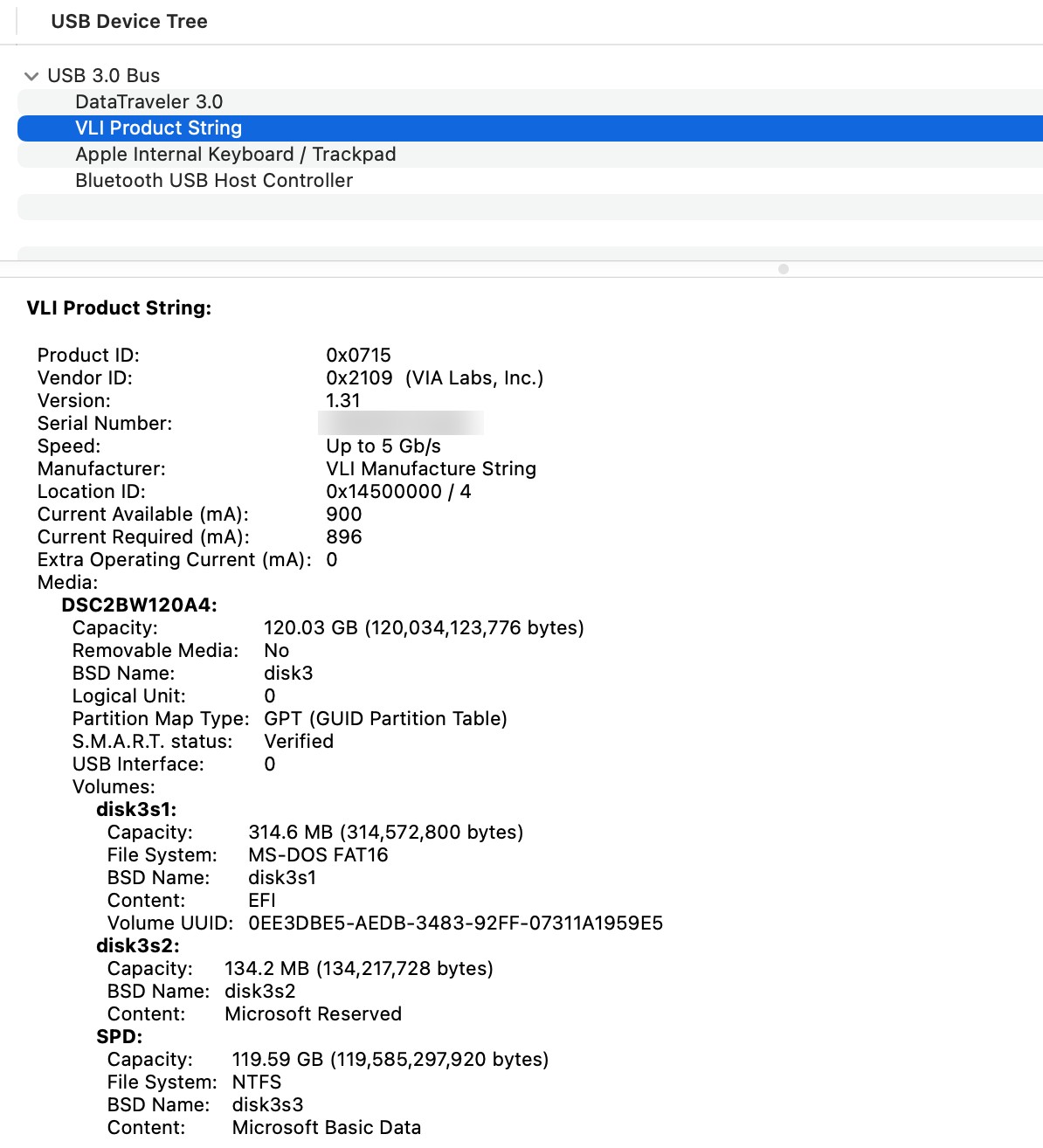
Writing NTFS is not just copying bytes. Every file also means updating the file table, the free-space map and the folder index. On a USB drive, how those small updates reach the disk decides the speed.
The engine talks to the drive directly in blocks of up to 4 MB, instead of thousands of 4 KB requests that each wait for the drive.
Changes are collected in memory, sorted by position on the disk and written in long runs by a background thread, so your copy doesn't stop and wait.
macOS asks the driver to save each file the moment it's closed. We save them in batches instead — and always save everything before the drive is ejected.
New files are placed next to each other instead of spread across the drive. Flash drives write neighbouring data much faster.
Before this work, our own engine was about as slow as Mounty: 24.9 MB/s writing and 23.5 MB/s reading on the SSD, and 691 s for the 500 small files on the flash drive. The four changes above are what closed the gap.
Speed is worthless if a file comes back wrong. Every run ended with these checks, and all of them passed.
Each file's MD5 was compared with the original, and the folders were compared file by file.
The drive was ejected and mounted again, and the large file was checked a second time — so the data is really on the disk, not in memory.
ntfsfix confirmed the volume is consistent after every run, so Windows opens the drive normally.
Ejecting waits until every change is on the drive. The speed-up never shortens that step.
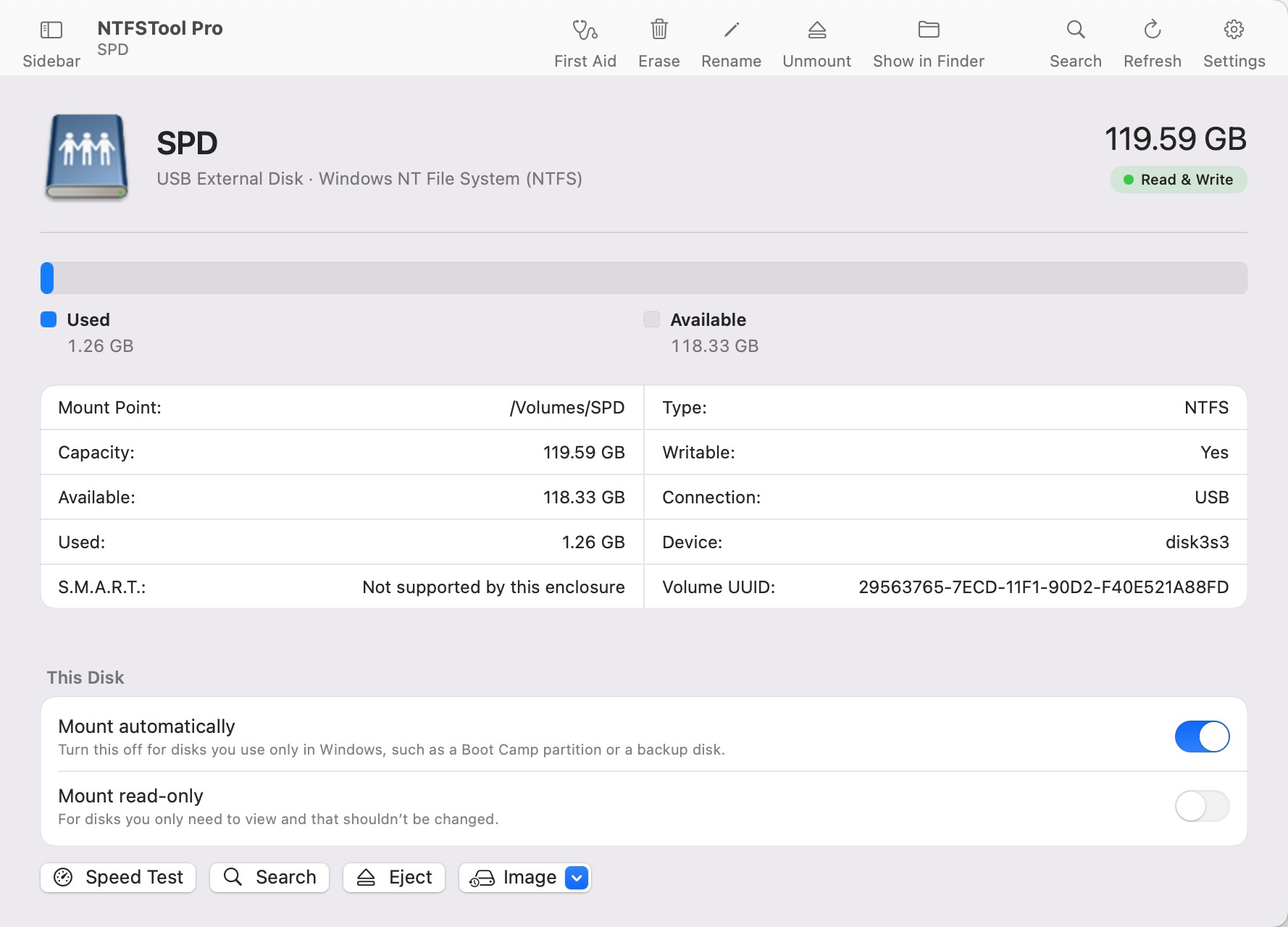
First pass on the USB SSD, November 9, 2026, 9:38–9:51 PM, in the order it ran. Translated from the original log and shortened; numbers unchanged.
On a USB SSD, Mounty 2.4 wrote a 1 GB file at 21–27 MB/s and read it at 23.6 MB/s; NTFSTool Pro did 103–114 MB/s and 262–276 MB/s. On a USB flash drive, Mounty took 663 s (11 min) to copy 500 small files; NTFSTool Pro took 2.5 s. Mounty is free and uses the open-source NTFS-3G driver; NTFSTool Pro uses its own engine.
macOS reads NTFS inside the kernel, so it skips the extra hop that every add-on driver (Mounty, NTFSTool, and others built on FUSE) takes. It read our 1 GB file at 397–403 MB/s. But it can only read: to copy, rename or delete anything on an NTFS drive you need a driver like NTFSTool Pro or Mounty.
Each new file needs several small updates on the disk: the file record, the folder index and the free-space map. If every one of them waits for the drive, hundreds of files add up — on a USB stick, to minutes. NTFSTool Pro groups those updates and writes them together.
Your numbers depend mostly on your drive and port. A faster SSD on a newer Mac gives higher numbers with any driver. What should stay the same is the gap: several times faster on large files, and the biggest difference on slow flash drives.
No. Ejecting the drive in Finder or NTFSTool still waits until every change is written. Changes are saved within about three seconds anyway, and a forced-kill test left the drive consistent with all 500 test files intact.
No. This page tests Driver 1, the default on every supported macOS. Driver 2 uses Apple's FSKit on macOS 15.6 and later; its numbers are on our speed test page.
Sources: Mounty for NTFS · NTFS-3G (Tuxera, GitHub) · macFUSE · fuse-t
Free download. Mount any NTFS drive and copy your own files to see the difference.