 NTFSTool
How to uninstall NTFSTool
Please do not only drag NTFSTool to the Trash. That does not fully remove it.
Why dragging to Trash is not enough
NTFSTool is a disk tool. It installs a small helper in the system — not only the app in Applications. Dragging the app to Trash can leave that helper behind.
Correct steps
- Open NTFSTool (version 4.6.8 or later).
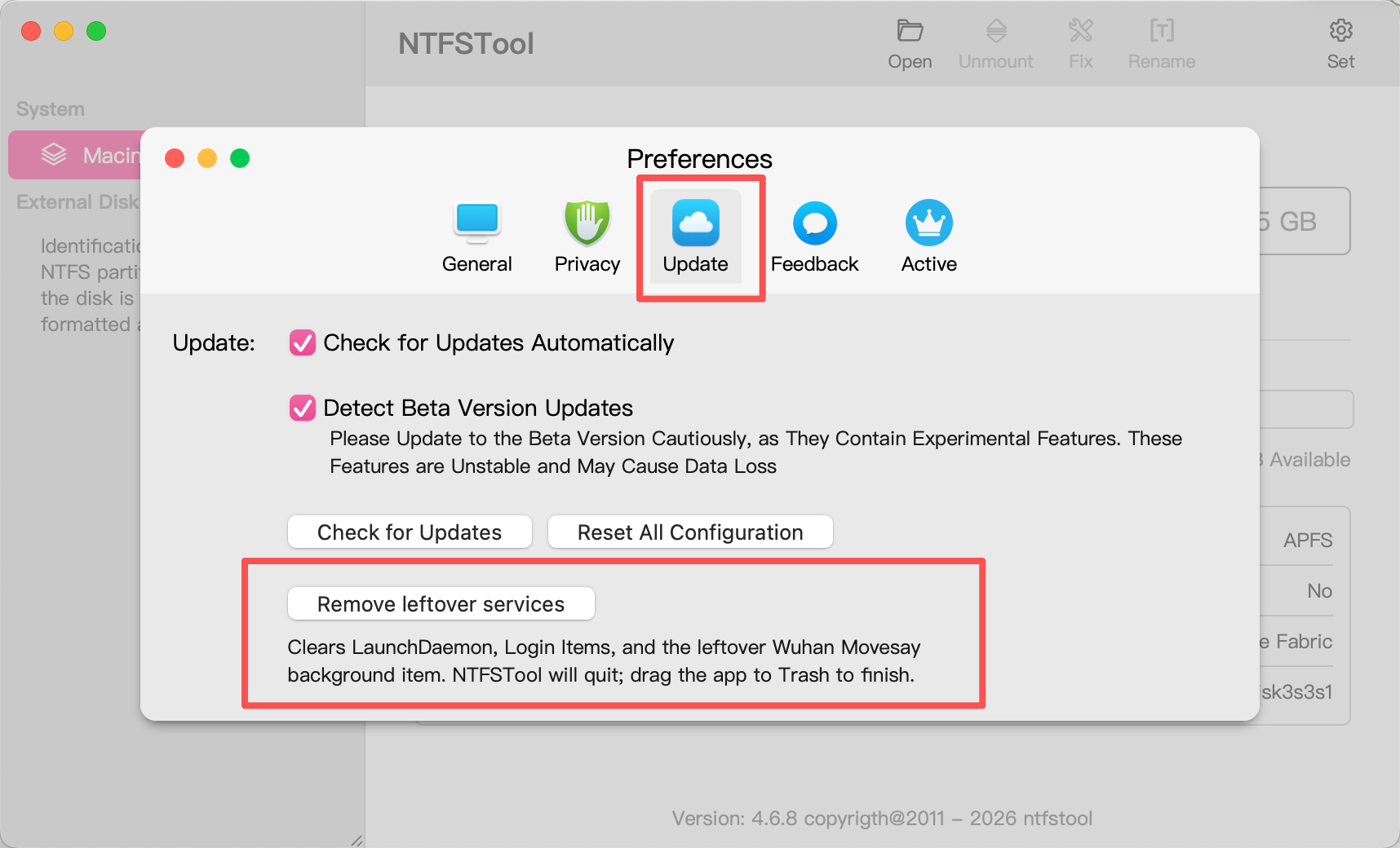
- Click the gear icon Set in the top-right, then open Update.
- Click Remove leftover services.
- Enter your Mac administrator password when asked.
- The app will quit. If NTFSTool is still in Applications, drag it to Trash and empty Trash.
If you already deleted the app, download and install the latest version first, then follow the steps above.