 NTFSTool
Mac पर NTFSTool इंस्टॉल करें
वर्तमान संस्करण (अनुशंसित)
इस वेबसाइट से डाउनलोड करें, pkg खोलें और सेटअप पूरा करें। फिर NTFS डिस्क जोड़ें। वर्तमान रिलीज़ के लिए recovery मोड या csrutil नहीं चाहिए।
Web Index के साथ मुफ्त उपयोग
सेटिंग्स में Web Index सक्षम करके NTFSTool मुफ्त उपयोग कर सकते हैं। केवल सार्वजनिक वेब इंडेक्सिंग: डिवाइस निष्क्रिय समय में सार्वजनिक वेब इंडेक्सिंग कार्य सुरक्षित रूप से संसाधित करके मुफ्त एक्सेस सक्षम करता है। आपकी व्यक्तिगत फ़ाइलें, निजी संचार या ब्राउज़िंग इतिहास की जाँच, संग्रह या निगरानी नहीं करता। किसी भी समय बंद करें। नियम और Web Index गोपनीयता देखें।
नेटवर्क परिवेश सूचना: वैकल्पिक Web Index मोड व्यक्तिगत और घरेलू नेटवर्क के लिए है। कॉर्पोरेट, एंटरप्राइज़ या संस्थागत नेटवर्क उपयोगकर्ताओं को स्थानीय IT नीतियों के अनुपालन के लिए लाइफटाइम लाइसेंस (100% ऑफलाइन) उपयोग करना चाहिए।
सुरक्षित ड्राइव संचालन: NTFSTool सख्त लिखने-सत्यापन प्रोटोकॉल उपयोग करता है। क्रॉस-प्लेटफ़ॉर्म फ़ाइल सिस्टम की लो-लेवल प्रकृति के कारण, डिस्कनेक्ट से पहले हमेशा सुरक्षित रूप से अनमाउंट करें और महत्वपूर्ण डेटा का नियमित बैकअप रखें। सॉफ़्टवेयर "जैसा है" प्रदान किया जाता है; अनुचित डिस्कनेक्शन या ड्राइव स्थिति से डेटा हानि या हार्डवेयर रुकावट के लिए NTFSTool Inc. उत्तरदायी नहीं।
Operational Telemetry: To maintain license verification and troubleshoot filesystem stability, the software collects necessary non-personal technical data, including anonymous hardware identifiers, macOS build version, and error crash logs.
क्या Mac डिफ़ॉल्ट रूप से NTFS ड्राइव पर लिख सकता है?
नहीं। macOS Microsoft NTFS वॉल्यूम पढ़ सकता है लेकिन अतिरिक्त सॉफ़्टवेयर के बिना नहीं लिख सकता। NTFSTool पूर्ण पढ़ने और लिखने की पहुँच देता है।
क्या वर्तमान NTFSTool को कर्नेल एक्सटेंशन या SIP अक्षम करना चाहिए?
नहीं। आधुनिक NTFSTool पूर्णतः ड्राइवर रहित है और यूज़र स्पेस में एक-क्लिक इंस्टॉल होता है। कर्नेल एक्सटेंशन चरण केवल लेगेसी संस्करणों पर लागू, सहायता में दस्तावेज़ित।
क्या NTFSTool मुफ्त है?
हाँ। Web Index सक्षम करके NTFSTool मुफ्त उपयोग कर सकते हैं। केवल सार्वजनिक वेब इंडेक्सिंग: डिवाइस निष्क्रिय समय में सार्वजनिक वेब इंडेक्सिंग कार्य सुरक्षित रूप से संसाधित करके मुफ्त एक्सेस सक्षम करता है। आपकी व्यक्तिगत फ़ाइलें, निजी संचार या ब्राउज़िंग इतिहास की जाँच, संग्रह या निगरानी नहीं करता। पूर्ण ऑफलाइन उपयोग के लिए $39 USD लाइफटाइम लाइसेंस उपलब्ध। अंतिम मूल्य भुगतान पृष्ठ पर।
NTFSTool कौन प्रकाशित करता है?
NTFSTool Inc. आधिकारिक ऐप प्रकाशित करता है। Apple ने लेगेसी आर्किटेक्चर के लिए कर्नेल एक्सटेंशन साइनिंग क्रेडेंशियल जारी किए। वर्तमान बिल्ड Developer ID साइन्ड और Apple नोटराइज़्ड हैं। केवल ntfstool.com से डाउनलोड करें।
कौन से Mac और macOS संस्करण समर्थित हैं?
Intel और Apple Silicon। macOS 10.15 या बाद आवश्यक।
क्या NTFSTool Mac App Store पर था?
हाँ। Mac App Store पर सूचीबद्ध था और वापसी की योजना है। अभी स्टोर पर नहीं; इस साइट का आधिकारिक डाउनलोड उपयोग करें।
Mac के लिए Paragon NTFS या Tuxera का सर्वोत्तम विकल्प क्या है?
NTFSTool लाइफटाइम लाइसेंस विकल्प है: $39 USD एक बार (अंतिम मूल्य भुगतान पृष्ठ पर), ड्राइवर रहित यूज़र स्पेस इंस्टॉलर, और वैकल्पिक मुफ्त Web Index। Paragon और Tuxera आमतौर पर वार्षिक लाइसेंस में बिकते हैं और अक्सर प्रत्येक macOS मेजर रिलीज़ के लिए अपडेट चाहिए। तुलना: https://ntfstool.com/vs-paragon-tuxera.html
लेगेसी kext संस्करण (ऐतिहासिक)
निम्नलिखित चरण केवल ऐतिहासिक कर्नेल एक्सटेंशन बिल्ड पर लागू। इंजीनियरिंग विरासत और उन संस्करणों के उपयोगकर्ताओं के लिए रखे गए। वर्तमान इंस्टॉलर के लिए न अनुसरण करें।
Reason for Installing the NTFSTool Kernel Extension
Due to Microsoft's licensing restrictions, macOS has removed write support for the NTFS disk format. Historical NTFSTool releases therefore installed an Apple-signed kernel extension. This is engineering heritage. The current release does not use these steps.
Requirements and Steps for Installing Drivers in macOS Kernel (legacy only)
For Intel Chip Systems
Requirements: Disable System Integrity Protection (SIP)
- Enter system recovery mode, disable System Integrity Protection (SIP). Completely shut down your Mac, then start it up, and immediately press and hold Command+R during startup until the Apple logo appears for 3 seconds, then release the button and wait to enter Recovery mode
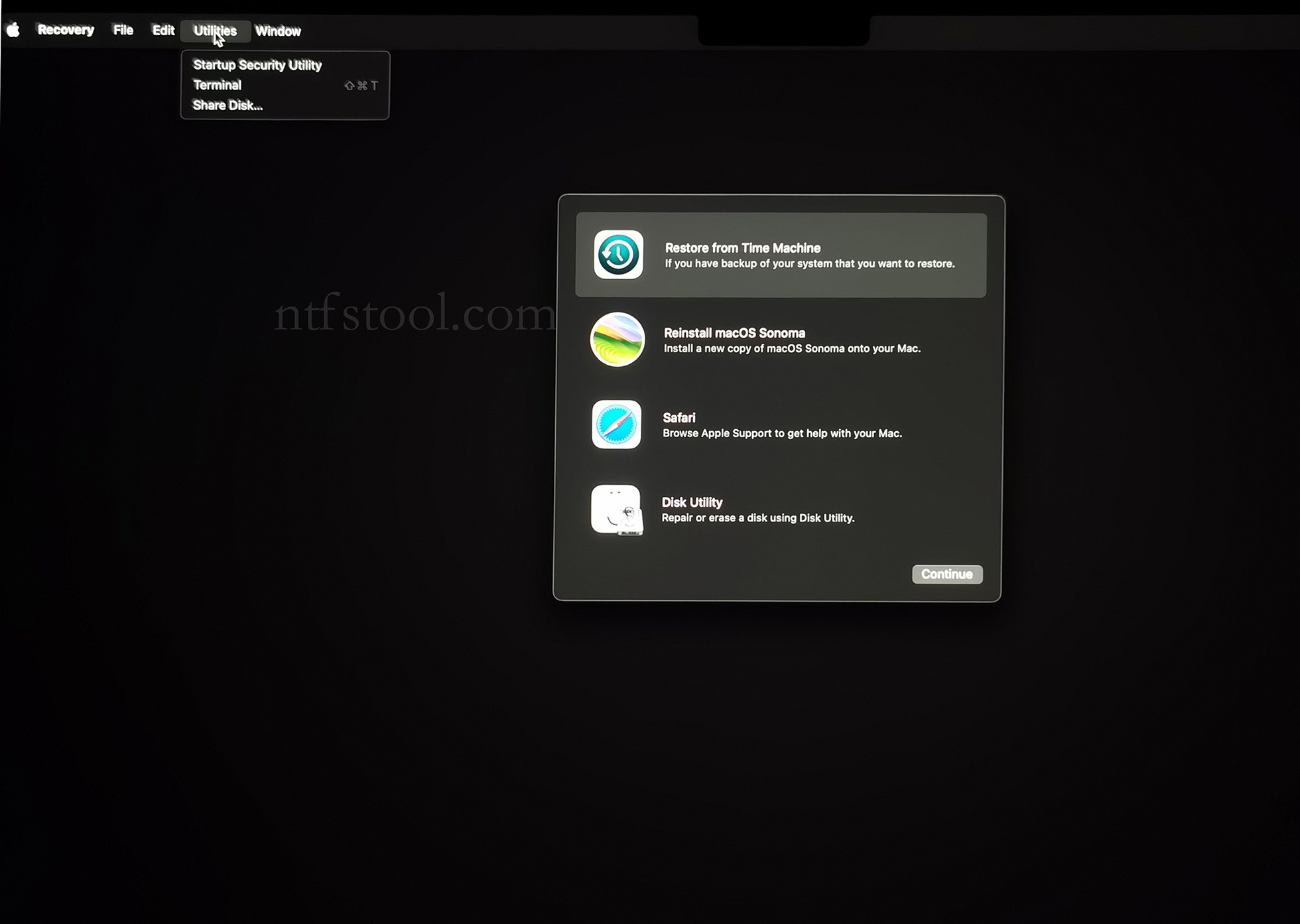
- Click 'Utilities' in the top toolbar, select 'Terminal'
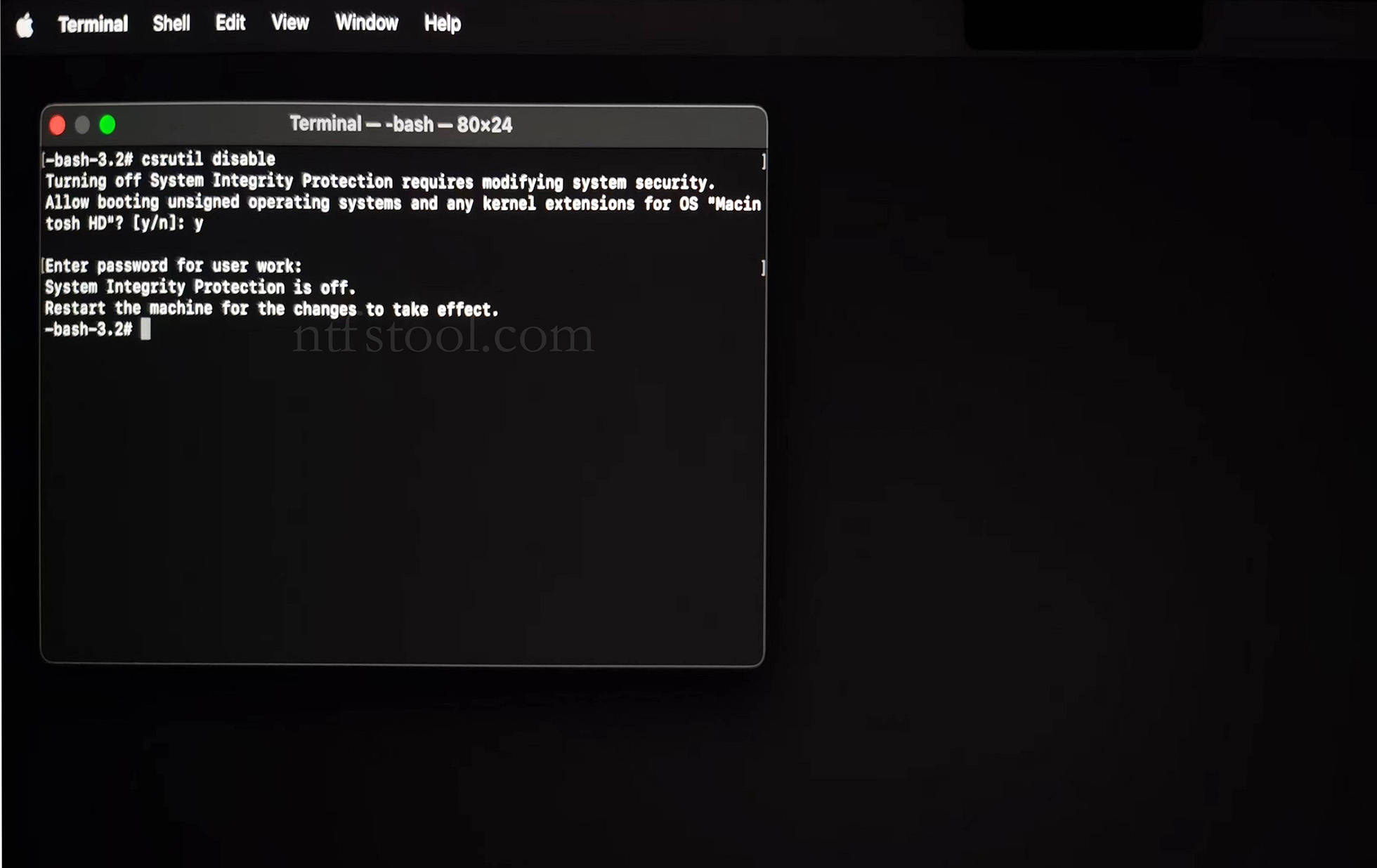
- Type 'csrutil disable' in the terminal, then press Enter
- Close the terminal and restart your Mac
- Related Screenshots
For Apple Silicon systems
Requirements: Disable SIP; enable Allow user management of kernel extensions from identified developers.
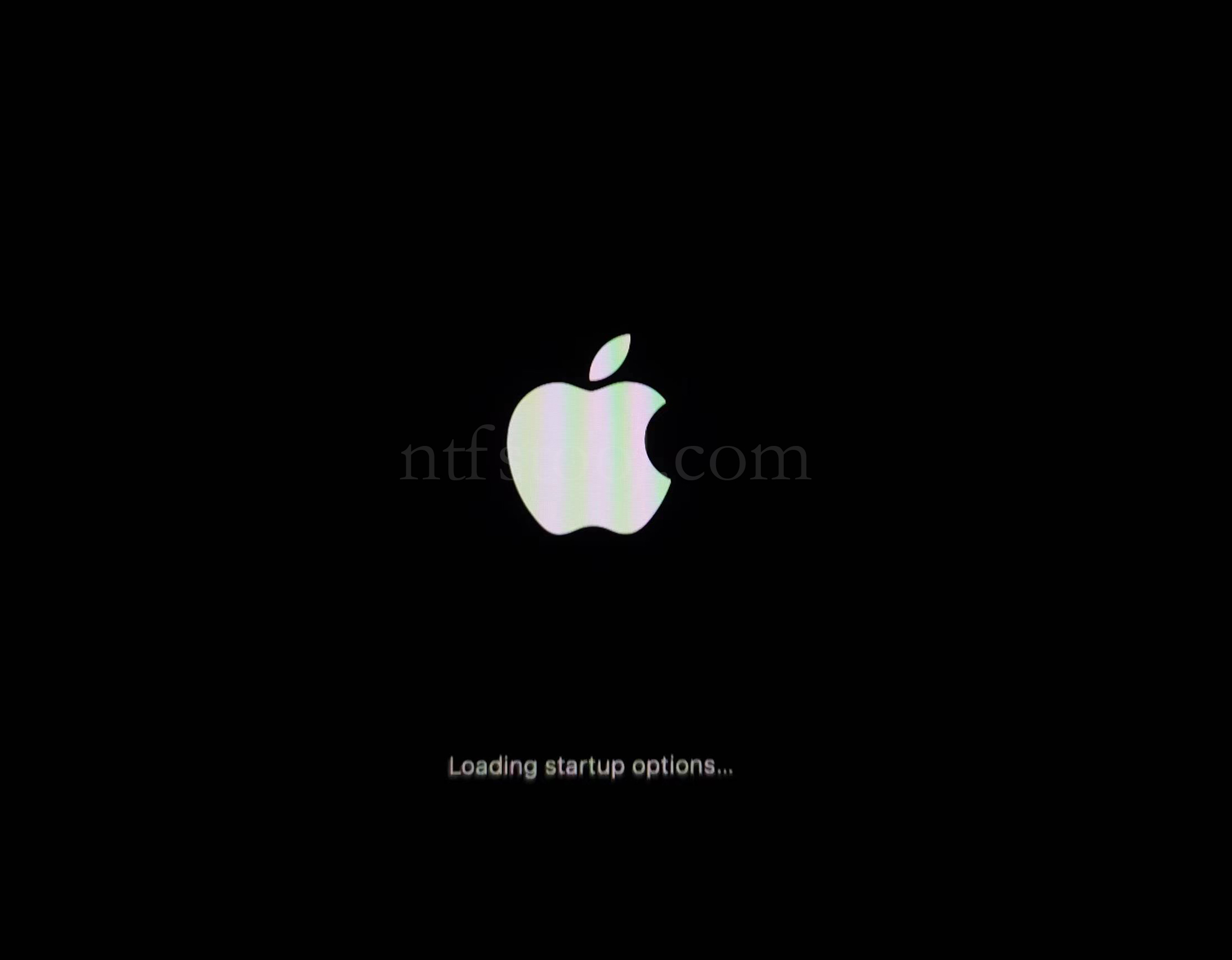
- Restart and hold the power button until Loading startup options appears, then enter recovery
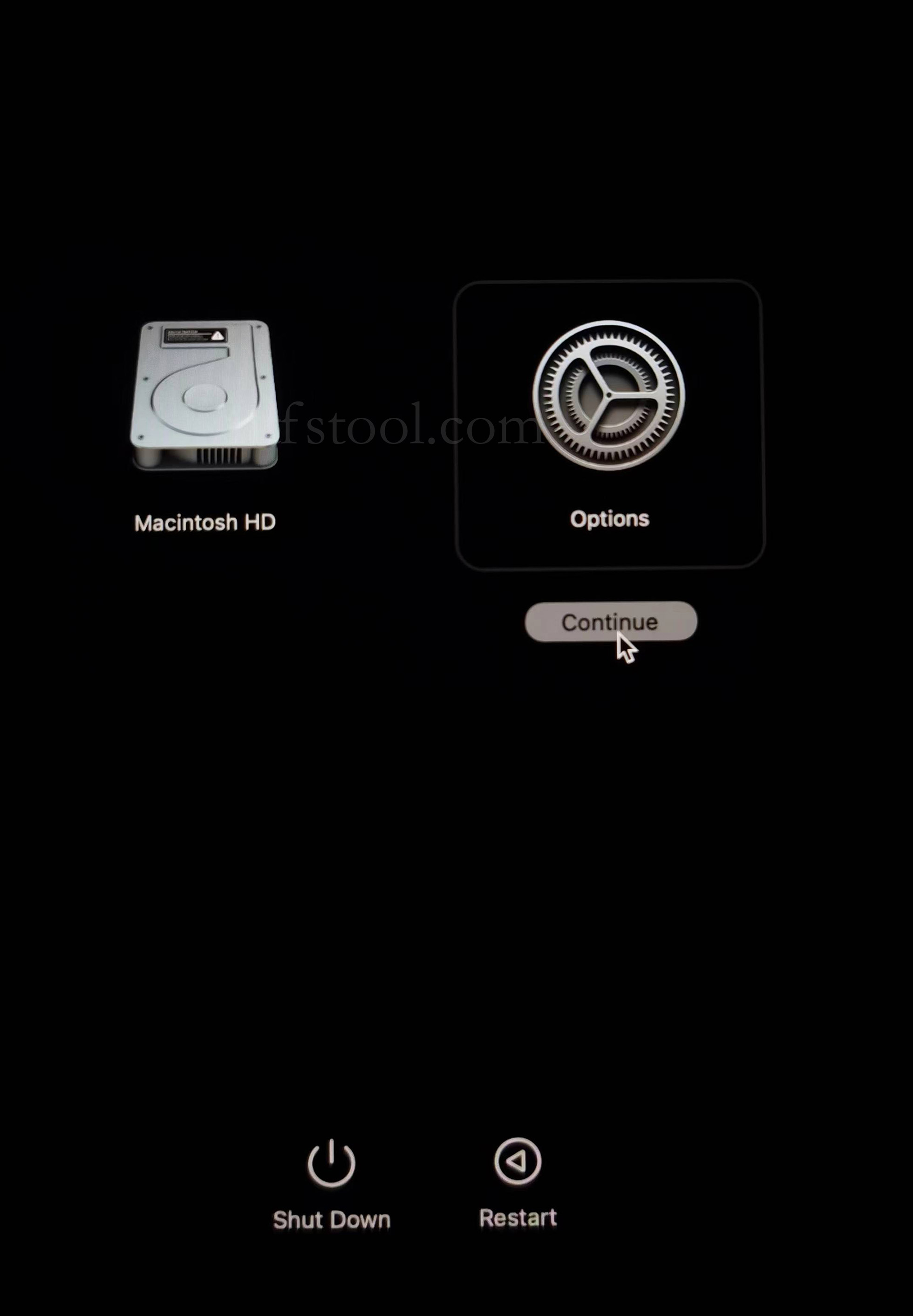
- Select Options, Continue
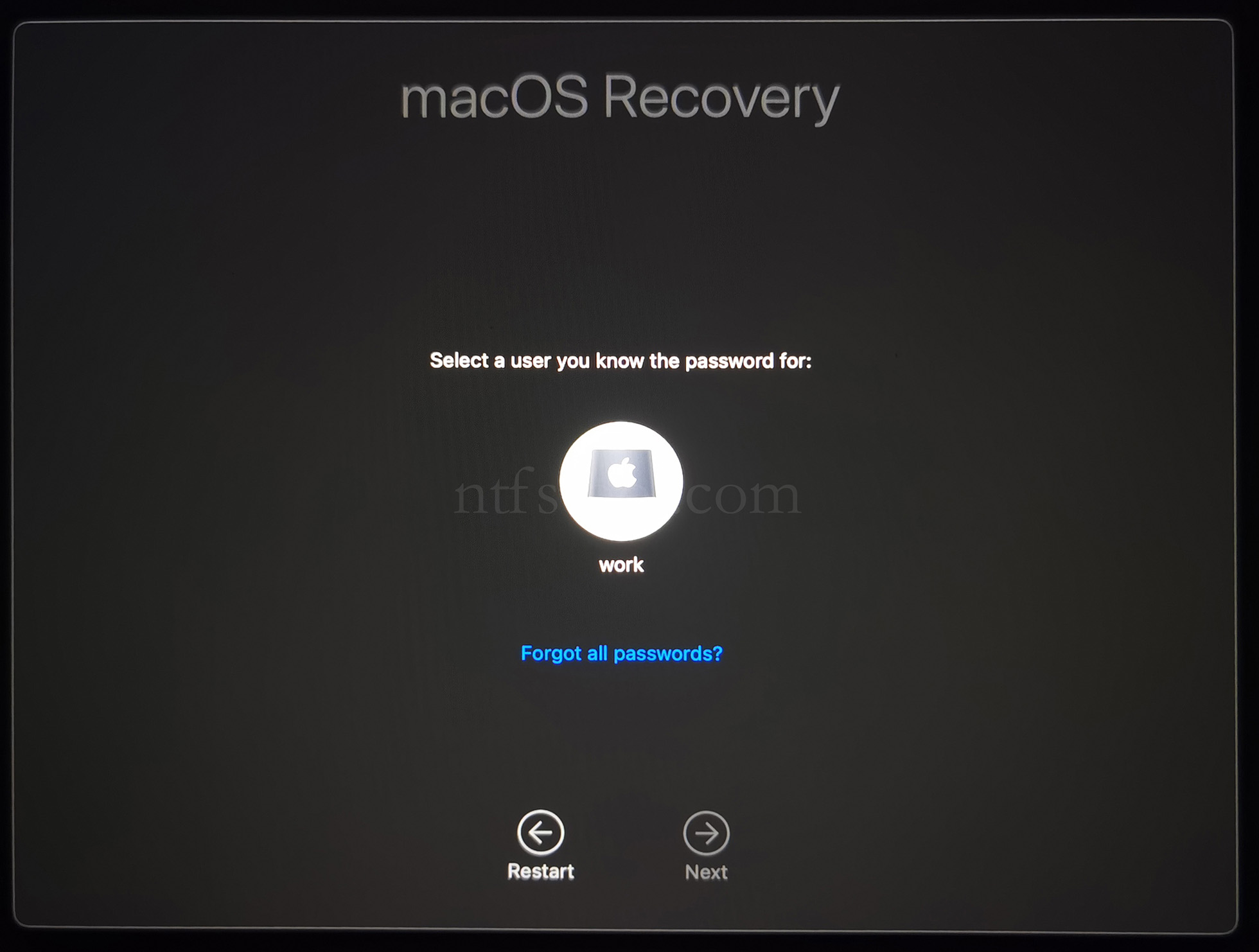
- Select the admin user and enter the password
- Utilities → Terminal
- Type csrutil disable, press Enter
- Close Terminal
- Utilities → Startup Security Utility
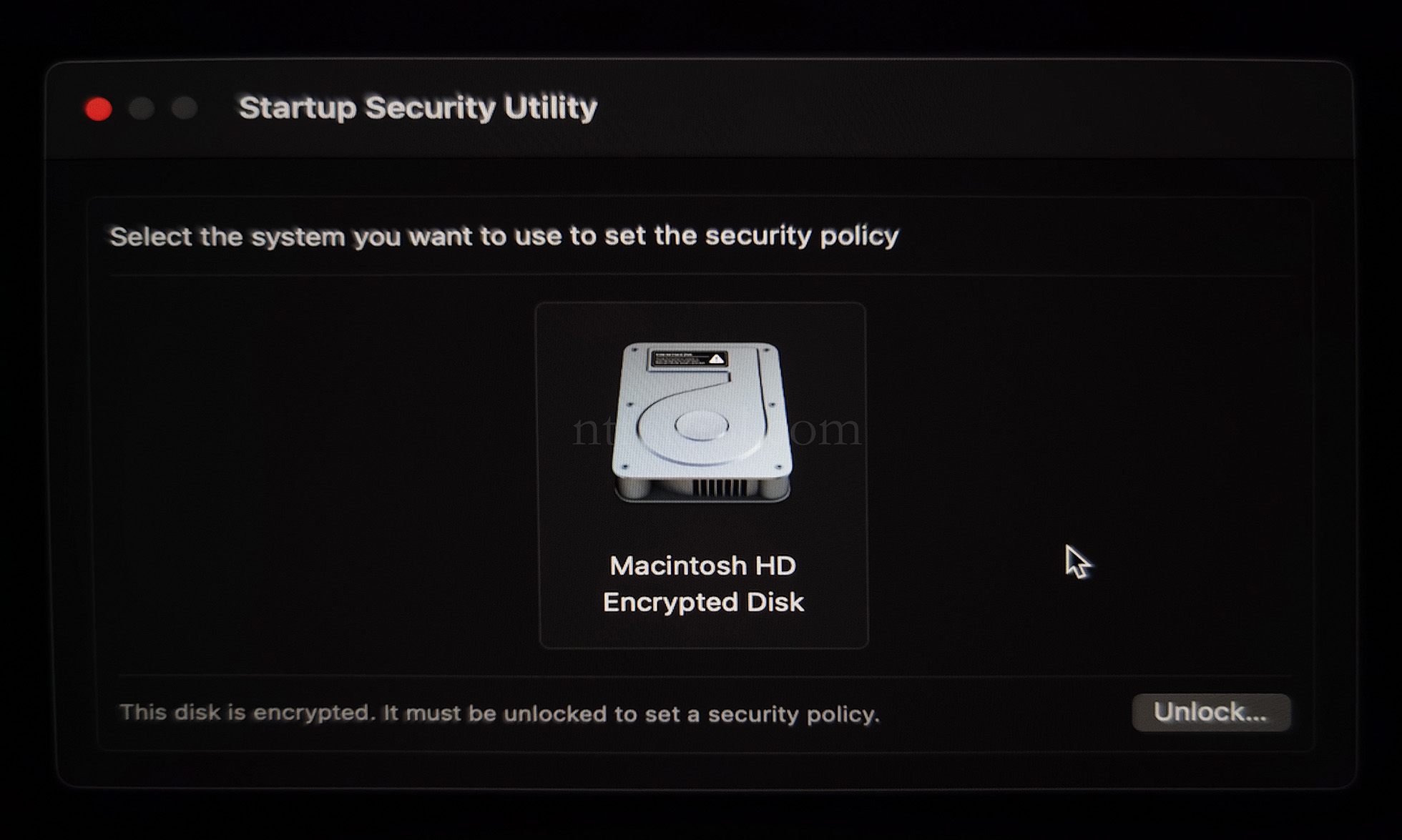
- Select the system disk, then Security Policy
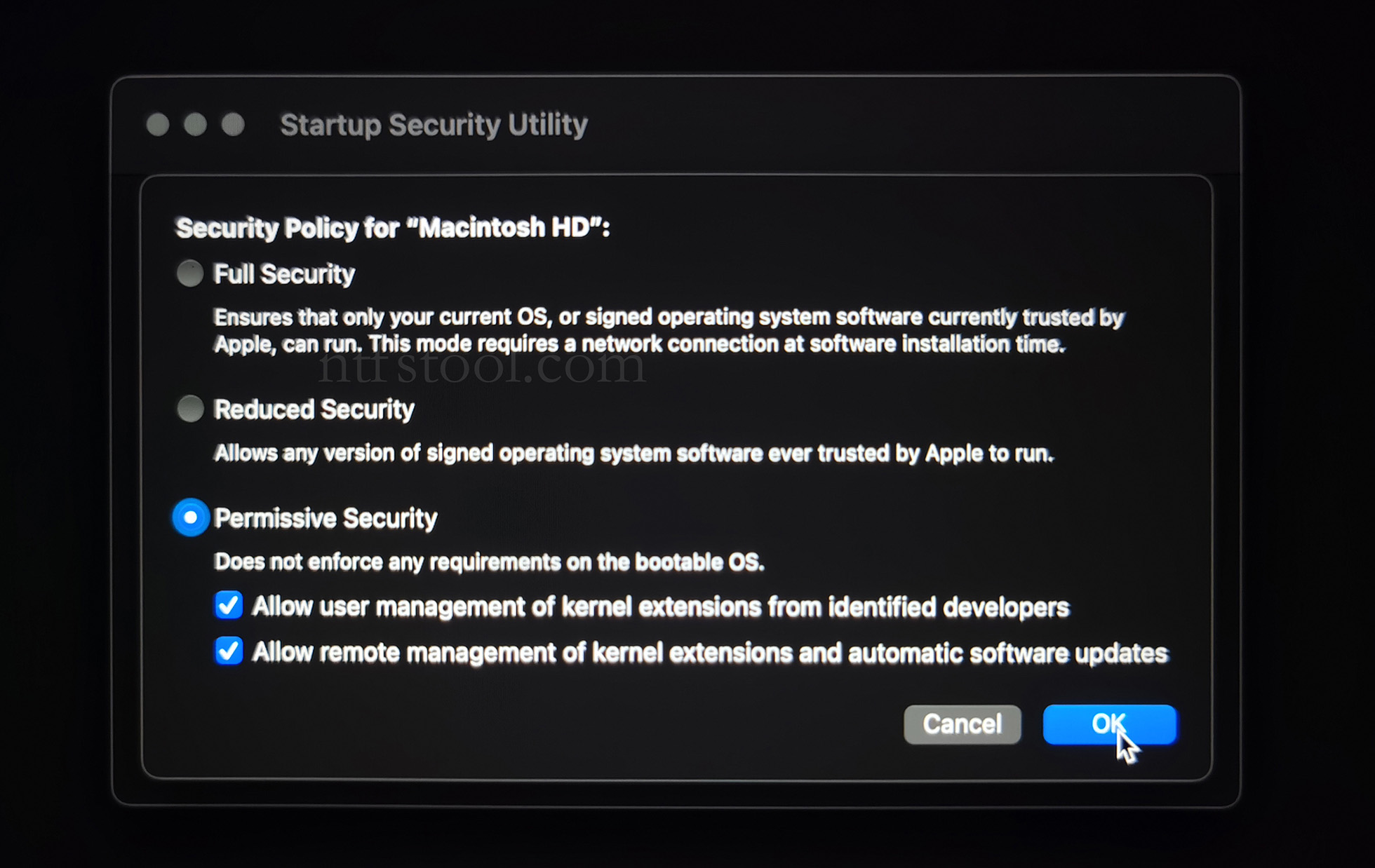
- Check Reduced Security and Allow user management of kernel extensions from identified developers
- Restart from the Apple menu
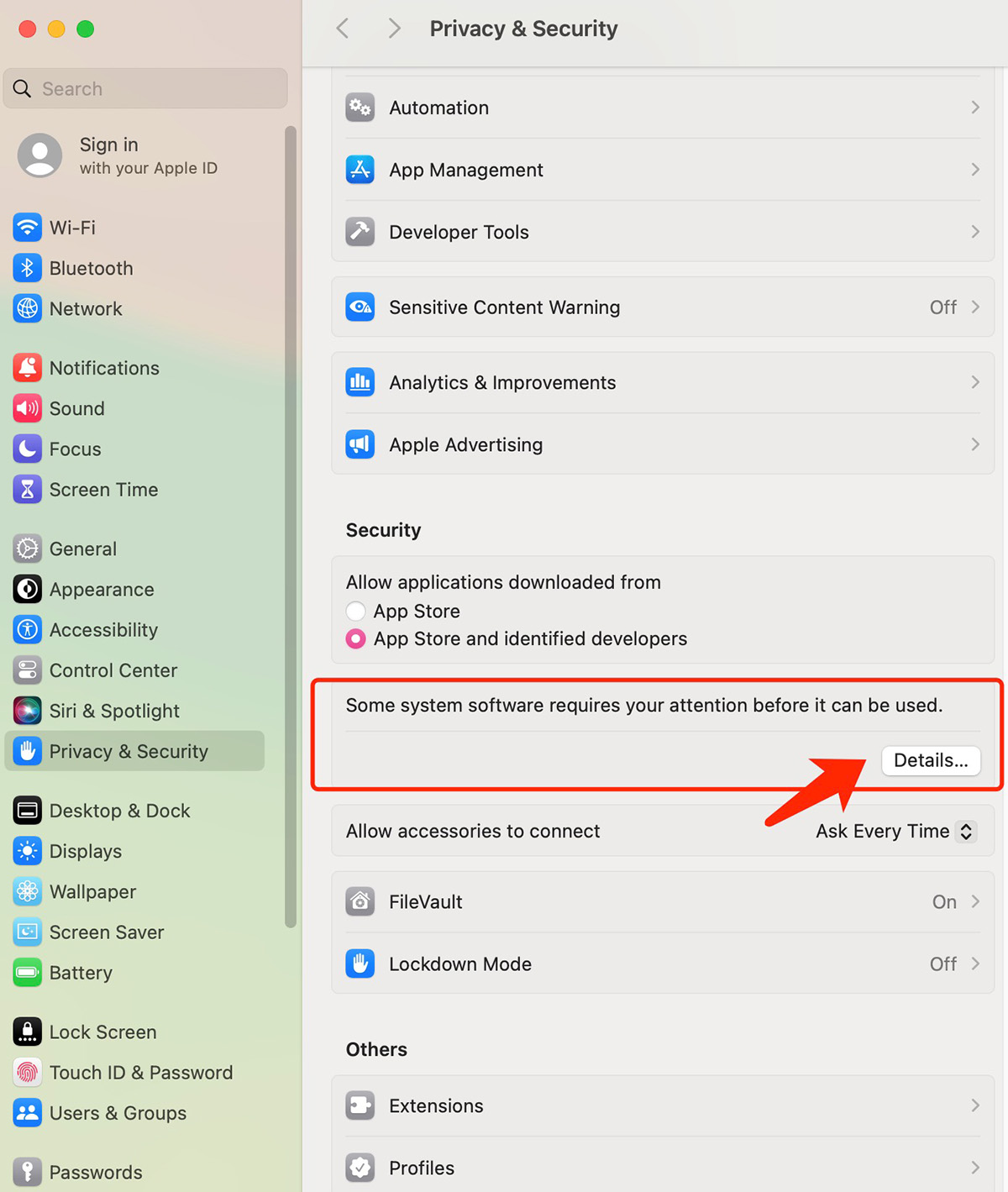
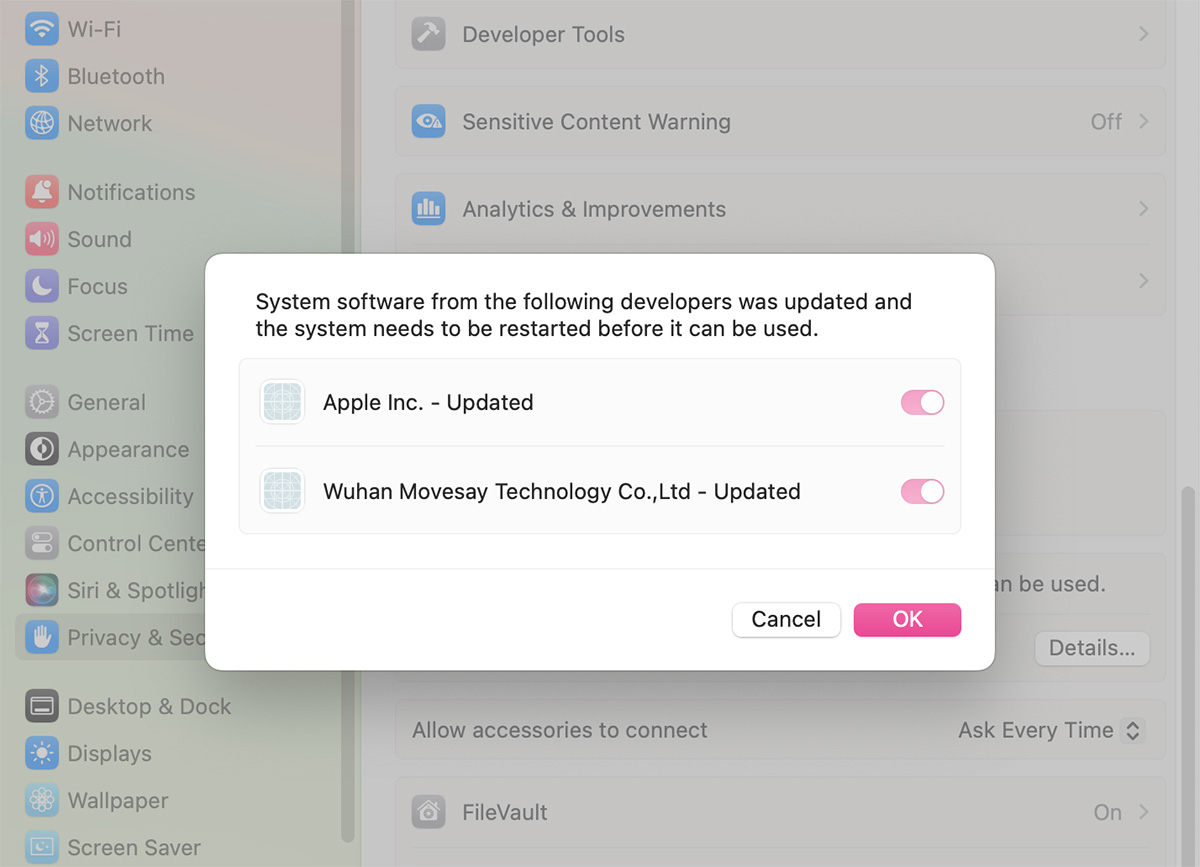
- Open System Settings → Privacy & Security, then allow the extension if prompted
- Related Screenshots